Logo
  • Features
    Project Management
    Ikona dla Project scheduleProject schedule
    Ikona dla Gantt ChartGantt Chart
    Ikona dla Kanban boardKanban board
    Ikona dla Project charterProject charter
    Ikona dla Project planProject plan
    Ikona dla BudgetBudget
    Ikona dla Project risksProject risks
    Ikona dla ProductsProducts
    Ikona dla CommunicationCommunication
    Strategic project management
    Ikona dla Project PortfoliosProject Portfolios
    Ikona dla Project programsProject programs
    Ikona dla Project templatesProject templates
    Ikona dla ReportsReports
    Ikona dla Project reviewsProject reviews
    Ikona dla StrategyStrategy
    Ikona dla Scoring modelScoring model
    Ikona dla Acceptance pathsAcceptance paths
    Ikona dla Knowledge baseKnowledge base
    Effective time management
    Ikona dla Work time registrationWork time registration
    Ikona dla ResourcesResources
    Ikona dla Operational workOperational work
  • Solutions
    For teams
    Ikona dla Project Management OfficeProject Management Office
    Ikona dla Management boardManagement board
    Ikona dla Finance & ControllingFinance & Controlling
    Industry
    Ikona dla CommercialCommercial
    Ikona dla PharmaceuticalPharmaceutical
    Ikona dla ManufacturingManufacturing
    Ikona dla ITIT
    Ikona dla Solar farmsSolar farms
    Use cases
    Ikona dla Integrated project managementIntegrated project management
    Ikona dla Strategic project managementStrategic project management
    Ikona dla Innovation and R&D projectsInnovation and R&D projects
    Ikona dla Recurrent projectsRecurrent projects
    Ikona dla Integration with JiraIntegration with Jira
    Ikona dla Quick WinsQuick Wins
  • Why FlexiProject?
    Ikona dla Configure your systemConfigure your system

    Reflect your own processes in FlexiProject

    Ikona dla Key strengths of FlexiProjectKey strengths of FlexiProject

    Uncover the unique qualities of FlexiProject

    Ikona dla Customers & Case studyCustomers & Case study

    Explore our customers stories

    Ikona dla FlexiProject featuresFlexiProject features

    Discover all the features of FlexiProject

    Ikona dla IntegrationsIntegrations

    Connect your tools for better efficiency

  • Resources
    Ikona dla Project management blogProject management blog

    Project management tips & trends

    Ikona dla User guideUser guide

    Explore FlexiProject in details

    Ikona dla Release historyRelease history

    FlexiProject's history of changes

    Ikona dla NewsletterNewsletter

    Stay up to date!

    Ikona dla FlexiProject OverviewFlexiProject Overview

    Watch how FlexiProject works

    Ikona dla API DocumentationAPI Documentation

    For developers and integrations

  • Pricing
  • Contact
    Ikona dla Contact salesContact sales

    Learn more about product, plans or pricing

    Ikona dla Contact supportContact support

    Get help with technical issues

    Ikona dla Become a PartnerBecome a Partner

    Join the FlexiProject Partner Program!

  • Log in
  • Get started
Get started
Language en
  • English
  • Polski
  • Čeština
  • Deutsch
  • Español
  • Français
  • Magyar
  • Italiano
  • Portuguese
  • Română
  • Українська
Log in
Get started
Table of contents

Project management, Tools

Best task management apps: how to choose the right tool for tasks and to-do lists

Most people don’t lose tasks because they are lazy. They lose them because the tasks live in too many places at once: a notebook, a few emails, a chat thread, a spreadsheet, and the back of someone’s head. A task management app exists to pull all of that into one reliable list you can actually trust. The hard part is choosing one, because the label “best task management apps” covers everything from a simple personal to-do list to a full project platform used by an entire PMO. This article explains what separates a good task app from a glorified checklist, compares seven popular tools, and shows where each one fits, from individuals managing their own work to teams running complex projects. We will also look at how FlexiProject handles tasks, to-do lists, schedules, and mobile access for people who need their work with them wherever they are. If you want a clear way to decide which task tool actually fits how you work, this article will take you there.
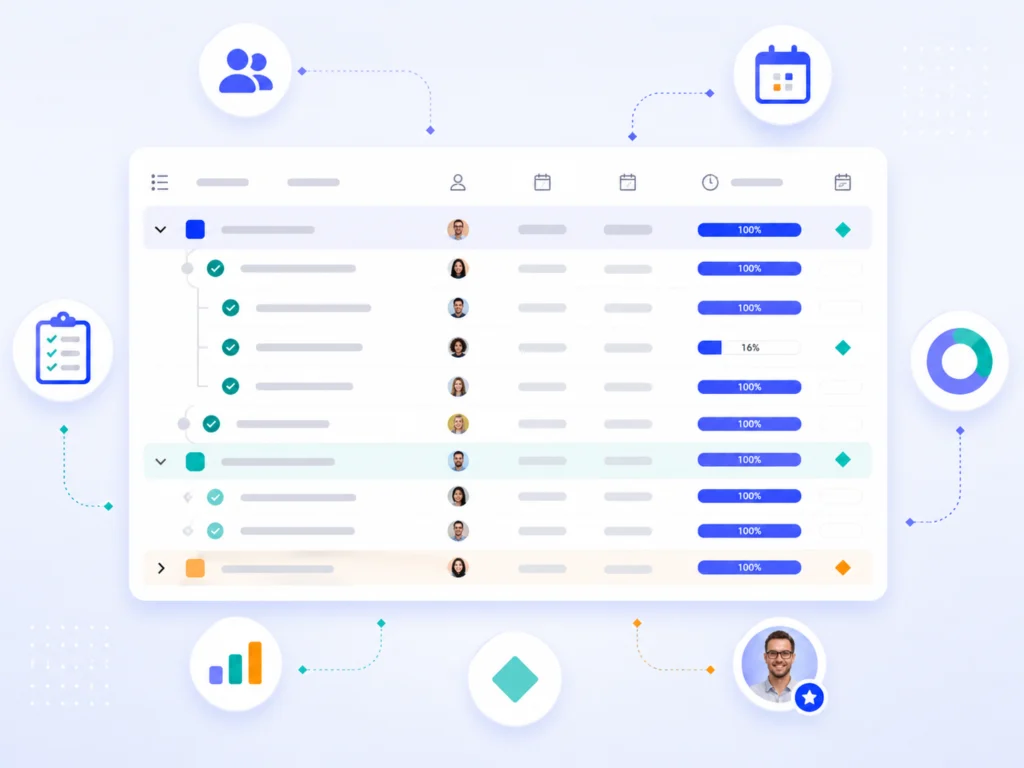
Task management app interface showing task list with assignees, progress bars, and project management icons

In this article, you will learn:

  • What a task management app does that a plain to-do list can’t
  • Which features matter most for managing your own tasks day to day
  • How seven popular task apps compare, and who each one suits best
  • When a simple to-do app is enough, and when you need a project-grade tool
  • How FlexiProject manages tasks, schedules, Gantt, and to-do lists in one place

What makes a task management app worth using?

What is a task management app, and how is it different from a to-do list?

A to-do list records what you intend to do. A task management app helps you actually do it, by adding the structure a flat list never has: due dates, priorities, statuses, owners, and a way to see progress over time. The difference shows up the moment you have more than a handful of tasks. A list of ten items is easy to scan; a list of eighty, spread across three projects and two clients, becomes noise without a tool that lets you filter, sort, and group. That structure is what turns a static list into something you can plan and manage around.

The audience for these tools is broader than most people assume. It includes individuals who simply want to stay on top of their own work, freelancers juggling tasks from several clients, and specialists who contribute to multiple projects at once. It also includes project managers and PMO teams who coordinate dozens of people. A good task management app serves both ends of that range, which is exactly why “best” depends so heavily on who is asking.

Why does a simple list stop being enough?

A plain list works until your work develops dependencies and deadlines that interact. Once finishing one task unblocks another, or a slipped due date pushes three other items, you need more than checkboxes. You need to see which tasks are at risk, what is waiting on what, and where your week is actually going. This is the point where people start losing track, not because they have too many tasks, but because the tasks have relationships the list can’t show.

The second pressure is collaboration. The moment a task has an owner who isn’t you, you need shared visibility, status updates, and notifications so nothing falls silent. That is the threshold where personal to-do apps start to strain and task management software earns its place.

Try FlexiProject!

Enjoy full access to FlexiProject for 30 days, no cost, no charge

Get started

Core features to look for in task management software

Which task features matter most day to day?

The features that matter are the ones you touch every day, not the long spec sheet. For most people that comes down to a short, dependable core. Get these right and a tool will serve you for years; miss them and no amount of extra features compensates.

The day-to-day essentials are consistent across individuals and teams:

  • Clear task attributes. Every task should carry a name, a description, an owner, and a due date at minimum, so nothing is ambiguous.
  • Statuses and progress. You need to see at a glance what is done, in progress, or not started, without opening each item.
  • Priorities and filtering. When the list grows, the ability to filter and sort by what matters today is what keeps it usable.
  • Multiple views. A list, a board, and a timeline each suit a different moment, and the best tools let you switch.
  • Notifications. Updates and reminders that reach you, so tasks don’t go silent.
  • Mobile access. Your tasks should be available away from your desk, not locked to a browser tab.

How important are custom fields and task attributes?

Custom fields are what let a generic tool fit your specific work. A marketing specialist might track a campaign channel; a construction lead might track a site or a permit status. Without custom attributes, you bend your process to fit the tool. With them, the tool bends to fit you. This matters more as work gets specialized, because the default fields rarely match how any given team actually thinks about its tasks.

For teams, custom attributes also make reporting possible. If every task carries a consistent field, you can group and summarize across an entire project or portfolio. That is the quiet difference between a tool you tolerate and one that becomes the single source of truth for what is happening.

Best task management apps compared: seven tools at a glance

Which task app is best for individuals versus teams?

There is no single best task management app, only the best fit for a given way of working. The seven tools below cover the full range, from personal to-do lists to project-grade platforms. The honest way to read this table is by the “best for” column: a freelancer and a PMO lead should not end up with the same tool.

Best for Strongest area Where it falls short
FlexiProject Teams and PMOs whose tasks grow into projects Tasks linked to schedules, Gantt, and portfolios More than a casual personal to-do list needs
Todoist Individuals and small teams Fast, frictionless personal to-do capture Limited for complex projects and dependencies
Microsoft To Do Individuals in the Microsoft ecosystem Simple lists tied into Outlook and Microsoft 365 Minimal collaboration and project structure
Trello Small teams wanting visual simplicity Intuitive Kanban boards Struggles with scale and cross-project planning
Asana Mid-sized teams coordinating work Flexible task and workflow management Can become complex and costly at scale
ClickUp Teams wanting an all-in-one workspace Highly customizable, many views Feature density can overwhelm new users
Notion Individuals and teams blending notes and tasks Flexible docs-plus-tasks workspace Not purpose-built for project scheduling

When should you pick a project-grade tool over a simple to-do app?

The deciding question is whether your tasks live in isolation or inside something larger. If you are managing your own work and a few shared lists, a lightweight app like Todoist or Microsoft To Do is often the right, fastest answer. If your tasks belong to projects with dependencies, milestones, budgets, and reviews, a project-grade tool stops being overkill and becomes the thing that keeps the whole effort under control.

FlexiProject sits deliberately at that second end. It manages individual tasks and personal to-do lists, but its real strength appears when those tasks connect to a schedule, a Gantt chart, and a project portfolio. That is the gap this article exists to clarify, and the rest of it shows how that works in practice.

Managing tasks versus managing projects

When does a standalone to-do app stop being enough?

A standalone to-do app treats each task as a self-contained item. That is perfect for personal work and breaks down the moment tasks start depending on each other. Once a delayed task shifts a deadline three steps downstream, or a milestone depends on five tasks finishing first, you need a tool that understands those relationships. A flat list simply can’t represent them.

This is the line between task management and project management. Task management keeps your own work organized; project management keeps interdependent work, across people and time, under control. Many people cross that line without noticing, which is why they feel their reliable to-do app suddenly stops coping.

How do tasks connect to the bigger project picture?

In a project tool, a task is never just a line on a list. It has a place in a schedule, a relationship to other tasks, and a contribution to a milestone or a goal. The same task you tick off in your personal view also moves a bar on a Gantt chart and updates the project’s overall progress. Nothing has to be re-entered, because the task is the same object seen from different angles.

That connection is what lets a single tool serve both an individual checking their daily list and a project manager watching the critical path. FlexiProject is built around exactly this idea, and the next sections show how its task features work.

How FlexiProject handles tasks and to-do lists

The user task list: all your tasks in one place

FlexiProject gives every user a personal task list that gathers everything in one view: daily tasks, work from the projects they are part of, and individual tasks they have saved for themselves. Instead of checking several projects to find out what is on their plate, a user sees a single, organized list. This is the feature that speaks directly to anyone who simply wants to manage their own work better, regardless of whether they ever touch a Gantt chart.

Having everything in one place does more than reduce clutter. It makes it possible to prioritize honestly, because you can see the full load at once rather than discovering forgotten tasks at the worst moment. It also tracks progress on tasks you participate in, so collaborative work stays visible without constant check-ins.

Tasks, milestones, and custom attributes

In FlexiProject, schedule elements are split into tasks and milestones. Tasks carry attributes like name, description, owners, departments, and a due date, while summary tasks group sub-tasks together and show a counter of how many they contain. Milestones mark the key points the work is building toward. Together they let a list of activities express real structure, not just a sequence of checkboxes.

Custom task attributes extend this further. FlexiProject lets you add your own fields to schedule items, including numbers, drop-down lists, dates, and text. A team can capture exactly the information its work requires, then group and filter tasks by those fields. The result is a task list shaped around how you actually work, rather than a fixed template you have to accommodate.

Task list view in FlexiProject showing WBS structure, task owners, departments, progress bars, and start/end dates

Task list view in FlexiProject showing WBS structure, task owners, departments, progress bars, and start/end dates

Try FlexiProject!

Unlock all features and boost your projects, enjoy 30 days of FlexiProject free!

Get started

Schedule list, Gantt chart, and Kanban views of your tasks

How do the schedule list and Gantt chart organize your tasks?

The primary way to work with tasks in FlexiProject is the schedule, which you can view as a structured list or as a Gantt chart. The list view shows tasks, sub-tasks, owners, due dates, and progress in a familiar outline, which is ideal for planning and detailed control. It is the view most people live in when they are organizing the actual content of their work.

The Gantt chart turns that same schedule into a timeline. It displays tasks as bars, milestones as markers, and summary tasks above their groups, and it makes dependencies and any drift from the plan easy to see. By default, tasks that are not yet started appear in light blue and completed ones in dark blue, so progress is visible at a glance. For anyone responsible for a whole plan rather than a single list, the Gantt view is where task management becomes genuine project control.

Project schedule with an approved plan in the FlexiProject system, based on WBS structure

Project schedule with an approved plan in the FlexiProject system, based on WBS structure

What does the Kanban view add?

On top of the list and the Gantt chart, FlexiProject offers a Kanban board that shows schedule items as cards. The board displays tasks and milestones, lets you group and filter how they appear, and lets you change a task’s status simply by moving its card between columns. It is a fast, visual way to review where work stands without opening each item.

The point is not that Kanban replaces the schedule, but that it complements it. The same tasks can be planned on a Gantt chart and then tracked day to day on a board, depending on what the moment calls for. Different people, and different stages of a project, naturally prefer different views, and using one tool for all of them keeps everything in sync.

How do notifications keep tasks from slipping?

FlexiProject provides both in-app and email notifications. The in-app system lets users follow project changes in real time and receive updates on the tasks they are watching, without living in their inbox. Email notifications can be tailored so each person receives only the updates that matter to them, which keeps important changes from going unnoticed and prevents notification fatigue.

Managing tasks on the go with the FlexiProject mobile app

What can you do in the FlexiProject mobile app?

FlexiProject has a mobile app that gives you access to your projects and tasks from anywhere, as a complement to the web version. From your phone you can open your personal task list, review the details of any task, change a task’s status, and add comments and attachments directly to it. Attachments can come from your camera, your photo gallery, or your files, so a photo from a site visit or a quick document becomes part of the task in a few taps.

The app keeps the same task data in sync with the web version, and signing in can be secured with biometric authentication such as fingerprint, Face ID, or Touch ID, so quick access does not come at the cost of security. It also includes work time logging, letting you record time against your tasks from the app rather than waiting until you are back at your desk.

Why does mobile access make tracking your own tasks easier?

Tasks rarely wait for you to be at your computer. They come up in meetings, on site visits, and in conversations, and the gap between noticing a task and acting on it is where things get lost. Having your task list in your pocket closes that gap: you can check what is assigned to you, mark progress, and add a note or a photo in the moment, without a context switch back to a desktop.

This is what makes the app genuinely useful for managing your own work rather than just viewing it. Whether you are a team member checking off your part of a project or someone simply keeping a personal to-do list under control, the app turns small pockets of time into progress. Tracking your tasks stops being something you do once a day at a screen and becomes a natural part of how you move through the day.

Try FlexiProject!

Start developing your skills with FlexiProject - 30 days free with full access!

Get started

Best task management apps FAQ

How do I choose the best task management app?

Start from how your tasks live, not from feature lists. If you manage mostly your own work, prioritize fast capture, clear views, and a good mobile app. If your tasks belong to projects with dependencies and deadlines, prioritize scheduling, a Gantt chart, and shared visibility. The best app is the one that matches the complexity of your work without forcing you to grow into it or fight against it.

What is the difference between a task management app and project management software?

A task management app keeps individual tasks organized: lists, statuses, due dates, and reminders. Project management software adds the relationships between tasks, such as dependencies, milestones, schedules, and progress across a whole plan. Some tools, including FlexiProject, do both, so the same tasks work as a personal to-do list and as part of a managed project.

Does FlexiProject have a mobile app?

Yes. FlexiProject offers a mobile app that lets you view your to-do list, change task statuses, and add comments and attachments from your phone, with push notifications for important updates. It is a mobile client for the system, so you sign in with your organization’s FlexiProject account.

Is a simple to-do app enough, or do I need a project tool?

A simple to-do app is enough when your tasks are largely independent and yours alone. You need a project-grade tool once tasks depend on each other, involve several people, or tie into deadlines, milestones, and budgets. The honest test is whether your current app keeps up or whether you are constantly patching around its limits.

From a to-do list to managing the whole project

The best task management app is rarely the one with the most features. It is the one that matches how you work today and still holds up as that work grows more complex. For many people, a fast personal to-do app is exactly right, and switching to something heavier would only add friction. For others, the moment tasks start depending on each other and involving a team, a project-grade tool stops being overkill and starts being the thing that keeps everything from slipping.

What makes FlexiProject worth considering is that it does not force that choice up front. It gives every user a single personal task list, the place to manage your own work day to day, and connects those same tasks to schedules, a Gantt chart, milestones, and a project portfolio when the work calls for it. Add a mobile app for managing tasks away from your desk, and you get a tool that serves the individual and the PMO without making either of them compromise. If your tasks are likely to grow into projects, choosing a tool that already understands both saves you the painful migration later.

AUTHOR

Dominik Wrzosek expert in project management

Dominik Wrzosek

General Manager at FlexiProject

Dominik is an expert in project management and a graduate of the Warsaw University of Technology. He leads the development of the FlexiProject system, translating business needs into practical solutions that support project teams. He has experience implementing FlexiProject in organizations of various sizes, combining technical expertise with a business-oriented approach to effective project planning and execution.

See more

Gantt chart maker: how to choose the right online tool?

Gantt chart maker: how to choose the right online tool?

Go to article
How to choose a resource management system: a buyer’s guide for project-driven organizations

How to choose a resource management system: a buyer’s guide for project-driven organizations

Go to article
Project success rate: how sponsor maturity moves it from 18% to 67%?

Project success rate: how sponsor maturity moves it from 18% to 67%?

Go to article
AI Project Management: Why building AI agents is just another IT project

AI Project Management: Why building AI agents is just another IT project

Go to article
Project budget overruns: How PMI explains the 9.4% waste – and how to close it with baseline, risk and portfolio

Project budget overruns: How PMI explains the 9.4% waste – and how to close it with baseline, risk and portfolio

Go to article
Project Management Maturity in IT: What the COI study reveals – and how FlexiProject closes the gaps

Project Management Maturity in IT: What the COI study reveals – and how FlexiProject closes the gaps

Go to article
Microsoft Project migration: A practical guide to moving from Project Server to FlexiProject

Microsoft Project migration: A practical guide to moving from Project Server to FlexiProject

Go to article
Best PPM Software for resource management: A practical guide for project-driven organizations

Best PPM Software for resource management: A practical guide for project-driven organizations

Go to article
The best project charter tool for building, approving, and managing project charters

The best project charter tool for building, approving, and managing project charters

Go to article
KPI Portfolio Management: How business acumen turns projects into value?

KPI Portfolio Management: How business acumen turns projects into value?

Go to article
Jira Project Portfolio Management: Why Jira alone is not enough for PMO?

Jira Project Portfolio Management: Why Jira alone is not enough for PMO?

Go to article
The best risk management software to protect your projects and portfolios

The best risk management software to protect your projects and portfolios

Go to article
Benefits of Project Management: why investing in methodology and PPM pays off

Benefits of Project Management: why investing in methodology and PPM pays off

Go to article
Process approach in a company: the foundation of effective management

Process approach in a company: the foundation of effective management

Go to article
Still using Gantt Chart in Excel? There’s a better way!

Still using Gantt Chart in Excel? There’s a better way!

Go to article
Best PPM Software: Which tool is right for your company?

Best PPM Software: Which tool is right for your company?

Go to article
Understanding the Cost Performance Index (CPI) for your project: how is it used and why?

Understanding the Cost Performance Index (CPI) for your project: how is it used and why?

Go to article
Ishikawa diagram: an effective tool for analyzing organizational problems. When should you use it?

Ishikawa diagram: an effective tool for analyzing organizational problems. When should you use it?

Go to article
What is project program management? Strategic purpose, integration, and coordination

What is project program management? Strategic purpose, integration, and coordination

Go to article
PERT diagram: how to visualize project schedule using the network method?

PERT diagram: how to visualize project schedule using the network method?

Go to article
PMP certificate (Project Management Professional) – complete guide to most valued PM certification

PMP certificate (Project Management Professional) – complete guide to most valued PM certification

Go to article
PERT CPM chart – how to use citical path analysis in project planning?

PERT CPM chart – how to use citical path analysis in project planning?

Go to article
Effective project management in energy companies and photovoltaic farms

Effective project management in energy companies and photovoltaic farms

Go to article
Examples of WBS Structures in different industries and projects

Examples of WBS Structures in different industries and projects

Go to article
Kanban Board: How it works and boosts task execution quality

Kanban Board: How it works and boosts task execution quality

Go to article
End of support for Microsoft Project Server. FlexiProject as a modern alternative for your projects

End of support for Microsoft Project Server. FlexiProject as a modern alternative for your projects

Go to article
Resource allocation system: How to effectively manage team and equipment availability in projects

Resource allocation system: How to effectively manage team and equipment availability in projects

Go to article
How FlexiProject–Jira integration streamlines project management?

How FlexiProject–Jira integration streamlines project management?

Go to article
Product Breakdown Structure (PBS) – How to organize your project scope in smart way?

Product Breakdown Structure (PBS) – How to organize your project scope in smart way?

Go to article
Executive Summary in Project Documentation: What Should It Include and Why It Matters?

Executive Summary in Project Documentation: What Should It Include and Why It Matters?

Go to article
Effective Management Reporting: turning data into timely decisions

Effective Management Reporting: turning data into timely decisions

Go to article
Top 5 Jira Alternatives for Modern Project Management

Top 5 Jira Alternatives for Modern Project Management

Go to article
Schedule Performance Index (SPI): How to calculate and use it to monitor project progress

Schedule Performance Index (SPI): How to calculate and use it to monitor project progress

Go to article
Business Process Reengineering step by step – Principles, Tools, and Implementation Roadmap

Business Process Reengineering step by step – Principles, Tools, and Implementation Roadmap

Go to article
PPM software – what is it and why does your company need it?

PPM software – what is it and why does your company need it?

Go to article
Burndown chart explained: what it is, how it works and why it’s essential for agile teams

Burndown chart explained: what it is, how it works and why it’s essential for agile teams

Go to article
Value Stream Mapping (VSM): Definition and Examples

Value Stream Mapping (VSM): Definition and Examples

Go to article
RACI Chart Explained: How to Define Roles & Responsibilities for Project Success

RACI Chart Explained: How to Define Roles & Responsibilities for Project Success

Go to article
Process map: how to map business processes effectively? A practical guide

Process map: how to map business processes effectively? A practical guide

Go to article
What is the PRINCE2 project management method?

What is the PRINCE2 project management method?

Go to article
Project Management: What Is It and How Does It Work in Practice? A complete guide.

Project Management: What Is It and How Does It Work in Practice? A complete guide.

Go to article
The most flexible Gantt Chart software for project management

The most flexible Gantt Chart software for project management

Go to article
Effective resource management in projects: A practical guide

Effective resource management in projects: A practical guide

Go to article
How can the PMO report project statuses to the company’s management more effectively?

How can the PMO report project statuses to the company’s management more effectively?

Go to article
10 compelling reasons to invest in professional project management tool

10 compelling reasons to invest in professional project management tool

Go to article
How to improve project management in a medium-sized company?

How to improve project management in a medium-sized company?

Go to article
How many IT tools are used daily by Project Managers and project teams?

How many IT tools are used daily by Project Managers and project teams?

Go to article
How to cearly report project status?

How to cearly report project status?

Go to article
Timeliness – the key to efficiency in project management

Timeliness – the key to efficiency in project management

Go to article
Project Closure Card: What is it and what benefits does it bring?

Project Closure Card: What is it and what benefits does it bring?

Go to article
Parkinson’s Law: it’s impact on projects and how to avoid it

Parkinson’s Law: it’s impact on projects and how to avoid it

Go to article
Project Management Glossary: Key Terms

Project Management Glossary: Key Terms

Go to article
Project resource management – a key foundation for project success in the company

Project resource management – a key foundation for project success in the company

Go to article
Project Charter Template: Why this document is so crucial to the success of your project?

Project Charter Template: Why this document is so crucial to the success of your project?

Go to article
Agile Manifesto: Key values and principles of the Manifesto

Agile Manifesto: Key values and principles of the Manifesto

Go to article
What is Management by Objectives (MBO)

What is Management by Objectives (MBO)

Go to article
When does a project management tool become essential?

When does a project management tool become essential?

Go to article
Micromanagement: What it is and how it negatively affects the team

Micromanagement: What it is and how it negatively affects the team

Go to article
What is a project initiative charter, and how can project ideas in an organization be effectively collected?

What is a project initiative charter, and how can project ideas in an organization be effectively collected?

Go to article
Scrum vs. Agile — What are the differences?

Scrum vs. Agile — What are the differences?

Go to article
KPI Indicators: How to define and monitor key success metrics

KPI Indicators: How to define and monitor key success metrics

Go to article
The Stage-Gate Methodology: Phases and gates in project management

The Stage-Gate Methodology: Phases and gates in project management

Go to article
Green Project Management: What is sustainable project management?

Green Project Management: What is sustainable project management?

Go to article
Managing projects in a manufacturing company using FlexiProject

Managing projects in a manufacturing company using FlexiProject

Go to article
What is a turquoise company?

What is a turquoise company?

Go to article
Why does project portfolio management make sense and bring tangible benefits?

Why does project portfolio management make sense and bring tangible benefits?

Go to article
Development of the Project Management Office (PMO)

Development of the Project Management Office (PMO)

Go to article
7 characteristics of a modern Project Management Office

7 characteristics of a modern Project Management Office

Go to article
What is Agile? Understanding the Basics

What is Agile? Understanding the Basics

Go to article
Minimum Viable Product (MVP): The key to quick start and success

Minimum Viable Product (MVP): The key to quick start and success

Go to article
Kanban: How To Effectively Manage Workflow?

Kanban: How To Effectively Manage Workflow?

Go to article
Top 5 project management books to read

Top 5 project management books to read

Go to article
How do you define project objectives, and how do you plan the project?

How do you define project objectives, and how do you plan the project?

Go to article
What is Kaizen? Concept, Method, and Philosophy

What is Kaizen? Concept, Method, and Philosophy

Go to article
What is the Waterfall methodology and how does it work?

What is the Waterfall methodology and how does it work?

Go to article
Scrum Methodology: Introduction to Agile Project Management

Scrum Methodology: Introduction to Agile Project Management

Go to article
Principles of effective project management

Principles of effective project management

Go to article
Milestones in project management

Milestones in project management

Go to article
5 Best Project Management Application

5 Best Project Management Application

Go to article
Developing a project plan – project schedule

Developing a project plan – project schedule

Go to article
Effective Gantt Chart in project management

Effective Gantt Chart in project management

Go to article
What is the difference between a portfolio and a project program?

What is the difference between a portfolio and a project program?

Go to article
What is a project portfolio and how do you manage it?

What is a project portfolio and how do you manage it?

Go to article
How to practically evaluate project ideas?

How to practically evaluate project ideas?

Go to article
How to use AI in project management?

How to use AI in project management?

Go to article
Types of task dependencies on a Gantt Chart with examples

Types of task dependencies on a Gantt Chart with examples

Go to article
What does the automation of project reviews provide?

What does the automation of project reviews provide?

Go to article
20 Best Project Management Software

20 Best Project Management Software

Go to article
5 alternatives to the MS Project

5 alternatives to the MS Project

Go to article
How to create a Project Management Office in an organization?

How to create a Project Management Office in an organization?

Go to article
How to create a project schedule? Learn with a practical example!

How to create a project schedule? Learn with a practical example!

Go to article
What is a Gantt Chart, and how to create one? [EXAMPLE]

What is a Gantt Chart, and how to create one? [EXAMPLE]

Go to article
How to create a project schedule with milestones?

How to create a project schedule with milestones?

Go to article
What is a Project Charter and how to prepare it? [EXAMPLE]

What is a Project Charter and how to prepare it? [EXAMPLE]

Go to article
How do you make a good project plan?

How do you make a good project plan?

Go to article
Integrated tool for complex projects, quick wins, and daily tasks

Integrated tool for complex projects, quick wins, and daily tasks

Go to article
When does Excel stop being a good project management tool?

When does Excel stop being a good project management tool?

Go to article
The role and tasks of the Project Management Office (PMO) in an organization

The role and tasks of the Project Management Office (PMO) in an organization

Go to article
Hybrid project management: what is it and how to use it in practice?

Hybrid project management: what is it and how to use it in practice?

Go to article
4 main phases of project implementation

4 main phases of project implementation

Go to article
5 benefits of project management application

5 benefits of project management application

Go to article
Features
  • Project schedule
  • Gantt Chart
  • Project charter
  • Project plan
  • Budget
  • Project risks
Features
  • Project Portfolios
  • Project templates
  • Reports
  • Project reviews
  • Strategy
  • Scoring model
Resources
  • Project management blog
  • Key strengths of FlexiProject
  • Customers & Case study
  • Newsletter
Contact
  • Contact support
  • Contact sales
Logo Footer
Language en
  • English
  • Polski
  • Čeština
  • Deutsch
  • Español
  • Français
  • Magyar
  • Italiano
  • Portuguese
  • Română
  • Українська
Copyright © 2026 flexi-project.com | Privacy policy
Logo Footer
Language en
  • English
  • Polski
  • Čeština
  • Deutsch
  • Español
  • Français
  • Magyar
  • Italiano
  • Portuguese
  • Română
  • Українська
Privacy policy
Copyright © 2026 flexi-project.com
FlexiProject
Manage Cookie Consent
To provide the best experiences, we use technologies like cookies to store and/or access device information. Consenting to these technologies will allow us to process data such as browsing behavior or unique IDs on this site. Not consenting or withdrawing consent, may adversely affect certain features and functions.
Functional Always active
The technical storage or access is strictly necessary for the legitimate purpose of enabling the use of a specific service explicitly requested by the subscriber or user, or for the sole purpose of carrying out the transmission of a communication over an electronic communications network.
Preferences
The technical storage or access is necessary for the legitimate purpose of storing preferences that are not requested by the subscriber or user.
Statistics
The technical storage or access that is used exclusively for statistical purposes. The technical storage or access that is used exclusively for anonymous statistical purposes. Without a subpoena, voluntary compliance on the part of your Internet Service Provider, or additional records from a third party, information stored or retrieved for this purpose alone cannot usually be used to identify you.
Marketing
The technical storage or access is required to create user profiles to send advertising, or to track the user on a website or across several websites for similar marketing purposes.
Manage options Manage services Manage {vendor_count} vendors Read more about these purposes
View preferences
{title} {title} {title}
