


Ensure effective communication during project execution
Executing complex projects requires effective communication within the project team and with stakeholders
Communicate in the project using chat
Efficient communication within the project team is crucial for achieving project success. The project chat provides easy exchange of information, all in one place and easily accessible.
You can attach images or other necessary attachments to any information. If you wish, you can receive email notifications for each new message.

Conduct discussions around tasks and other project elements
You can lead dedicated discussions around each task, risk, or cost. This is very convenient because the debate focuses only on the interested parties and avoids unnecessary informational noise.
Comments in the discussion are arranged chronologically, making it easy for new people to understand the full context. Email notifications ensure you’re up-to-date with every relevant comment.

Use warning icons to signal any threats
FlexiProject allows you to display warning icons in the project schedule. A clear triangle with an exclamation mark appears for tasks with identified risks, and where the budget has been exceeded, a dollar sign shows up.
This way, the project manager’s attention is immediately directed to areas in the project with potential threats. Additionally, delayed tasks are highlighted in red.

Use automatic approvals and stay up to date with every new approval
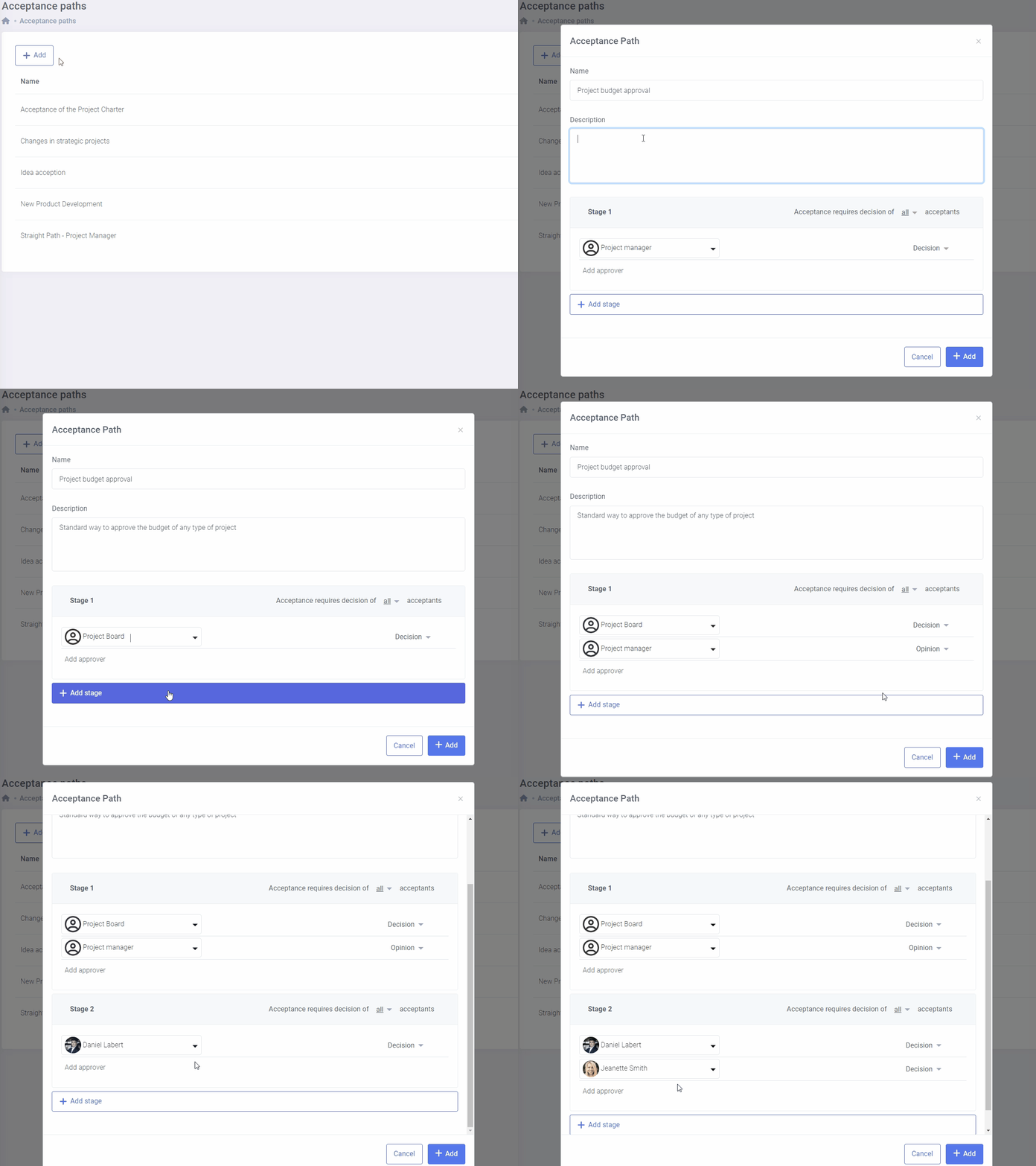
Information exchange regarding required approvals in FlexiProject is automatic. If you want to approve a project card, project plan, or plan change, just select the appropriate approval path.
FlexiProject will automatically send approval notifications to all required individuals, allowing necessary decisions to be made without unnecessary delays.
Use automatic project reviews for information exchange
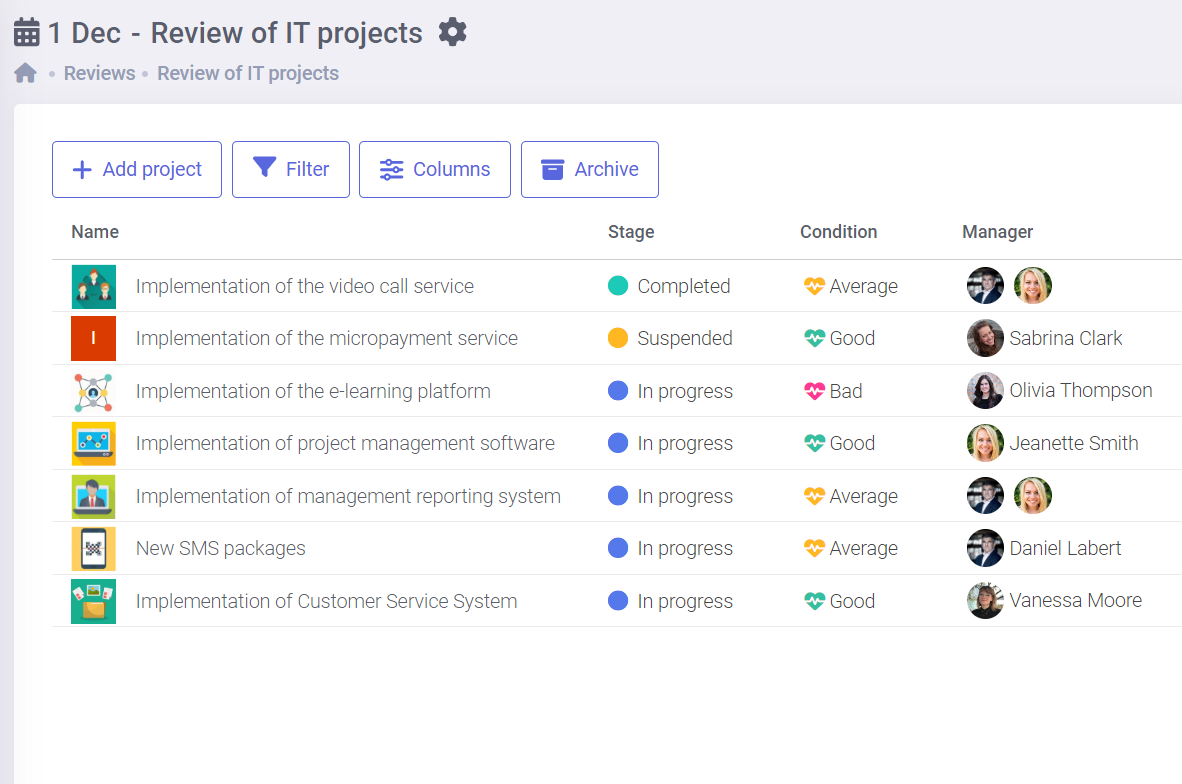
Company management expects up-to-date information about ongoing projects. This information must be provided by project managers supported by the Project Management Office (PMO).
FlexiProject offers automatic project review functionality that automates and significantly streamlines information exchange. The configurability of FlexiProject allows you to design any form of periodic report.
Decide which email notifications you want to receive from the system
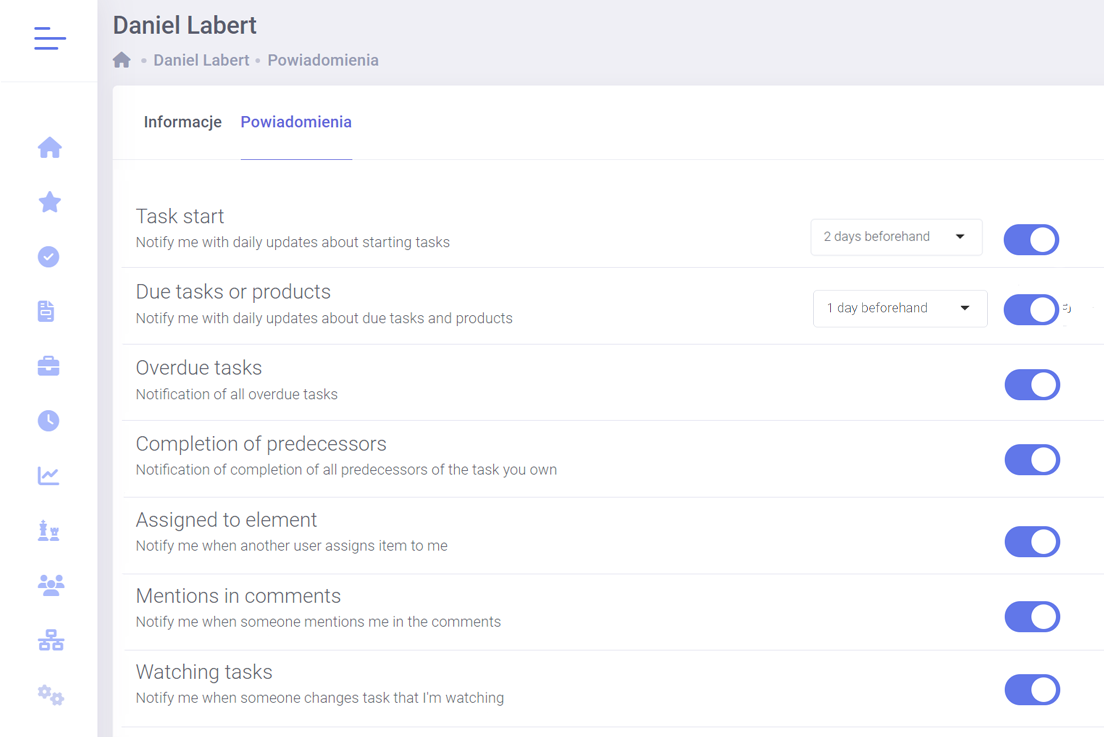
Every FlexiProject user can decide which email notifications the system will send automatically. The selection is extensive.
The user may want to receive notifications about being assigned to a new task, awaiting approval, approaching a deadline, or completing a dependent, preceding task.
Check notifications in the app and act in real-time
In the FlexiProject app, all notifications are available immediately so that you can act in real-time. When you’re assigned a task, a preceding task is completed, or someone mentions you in a comment, the app will notify you immediately.
This way, nothing will surprise you, and project work will be smooth and efficient!

Integration with MS Teams – easier communication in your project
Integrating FlexiProject with Microsoft Teams allows you to pin the application directly in the main Teams window, providing quick access to the task list.
Users can easily log in with their Microsoft account, streamlining daily work and task organization.

Contact us to learn more about FlexiProject details
If you want to explore the full capabilities that FlexiProject offers, feel free to talk to our specialists.
