Assign resources to different projects and oversee their overall involvement

Define for resources the level of commitment to projects and control the workload of the project team.

Estimate

Determine the duration required to complete the task

When creating a project schedule, you have the option to estimate the amount of time each task will take.

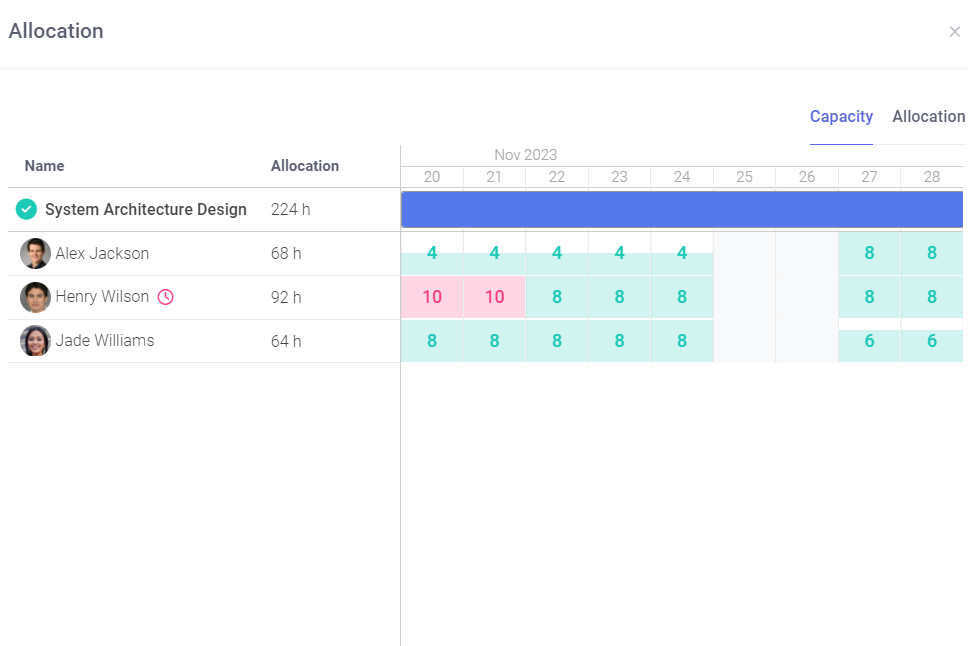
Once you assign an owner to a task, the estimated time will be assigned to that person. If an employee’s workload becomes too high for their availability during the project, FlexiProject will notify you.

Decide how long the task should take to complete
resources

Determine the availability of resources to work on projects

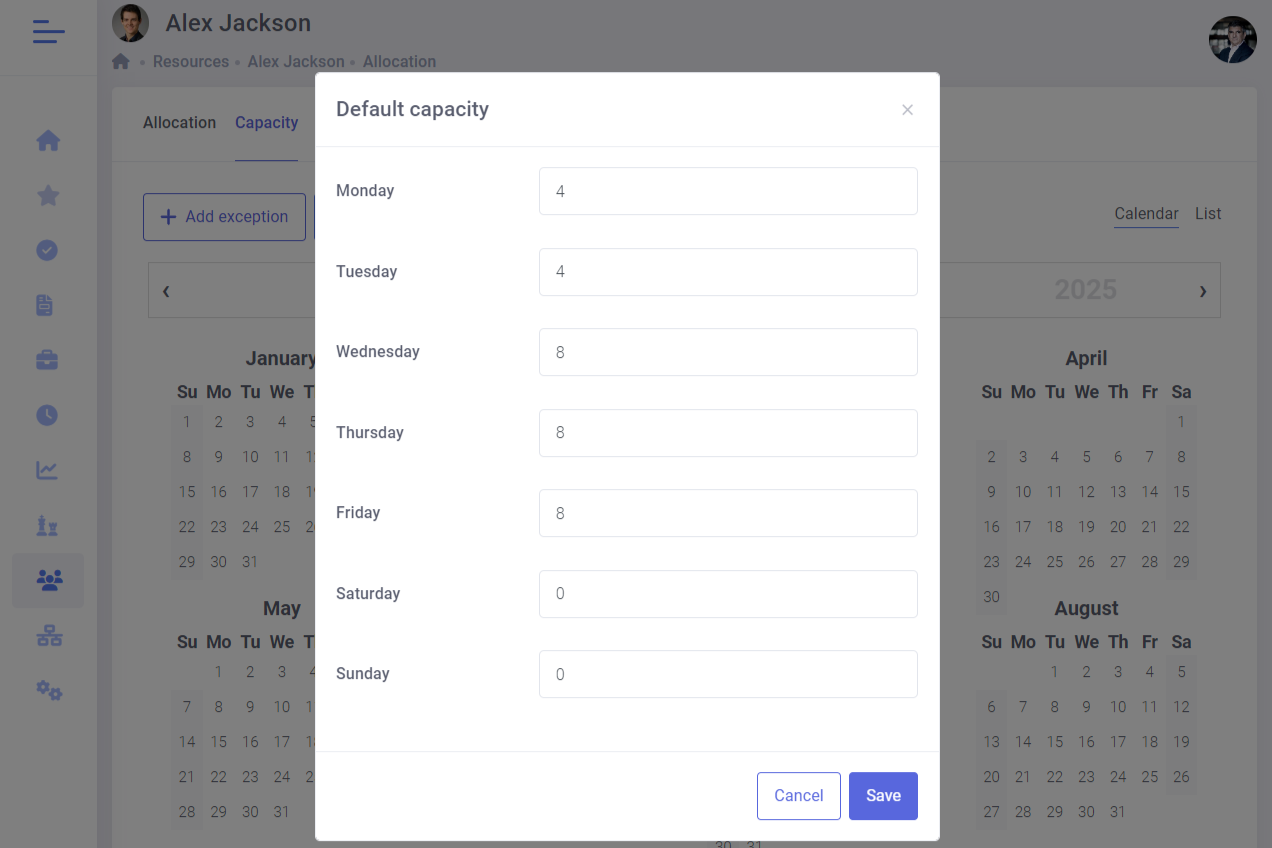
It is essential to determine the amount of time each employee can dedicate to project work, as they often have to split their time between daily operations and project-related tasks.

FlexiProject offers a solution to this issue by enabling you to set the daily availability of each employee while also considering their absences and vacations.

Determine the availability of resources to work on projects
Optimization

Schedule project tasks to make the best use of available resources

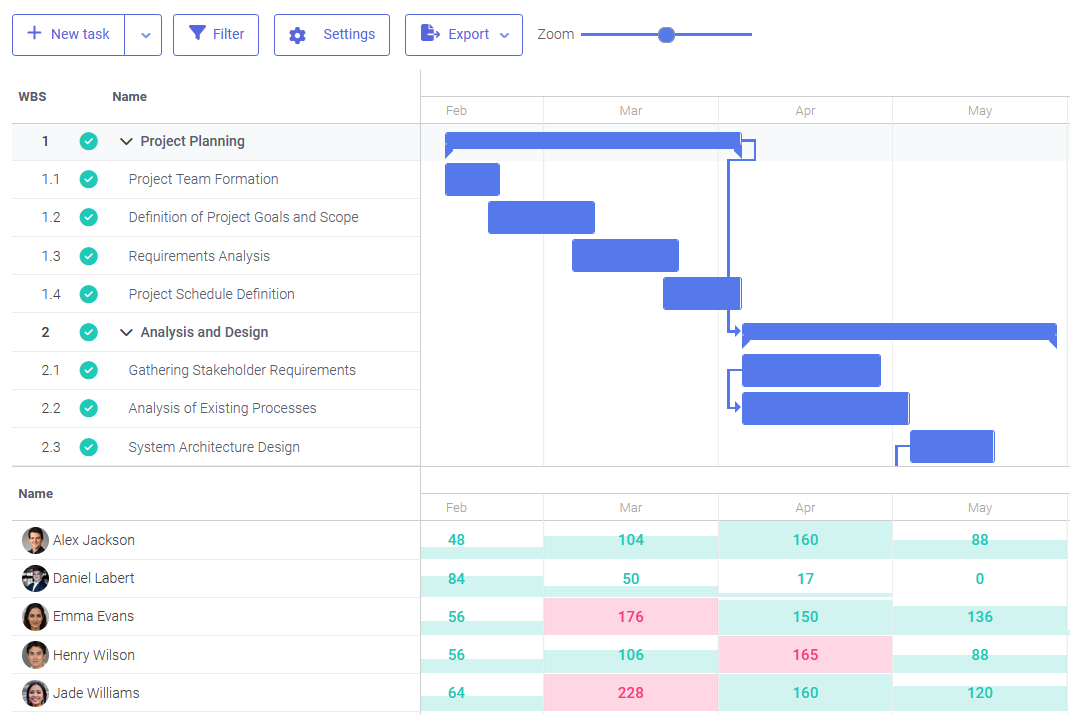
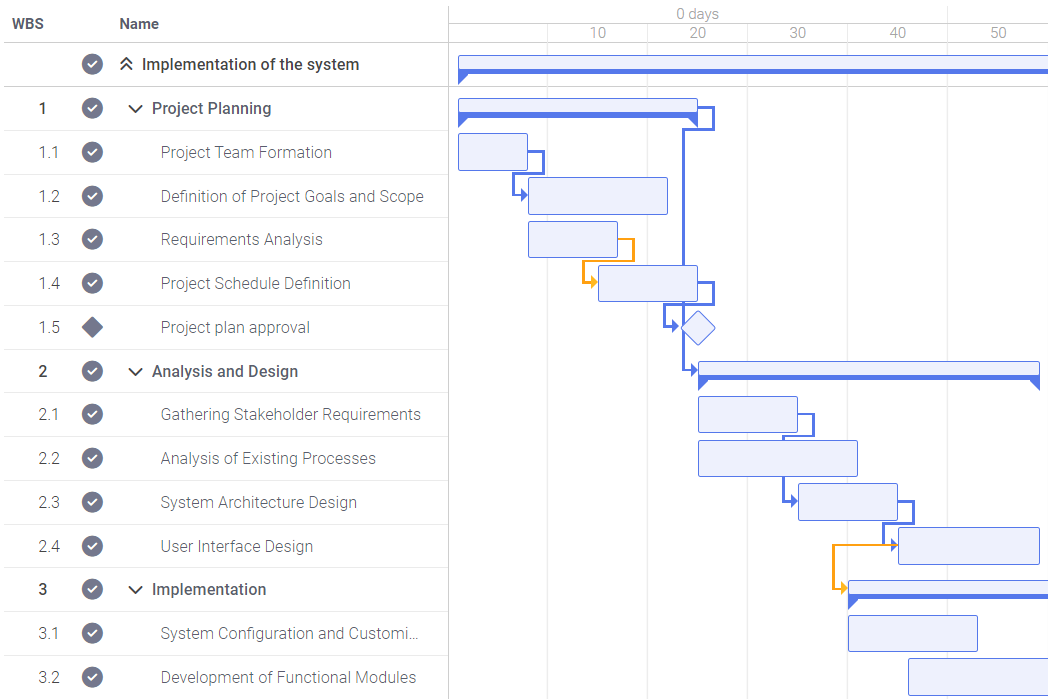
FlexiProject is a tool that enables you to view the scheduling of project tasks and resource allocation on a Gantt chart simultaneously.

You can easily shift tasks across time aand keep track of how the workload of individual employees changes. This allows you to optimize the scheduling of tasks and resources over time by simulating different scenarios.

Resources loading from the Gantt chart
Team engagement

Ensure that you monitor the level of engagement of the entire project team in the project

You can check the involvement of individual project team members in the project anytime.

FlexiProject will provide you with information on the tasks assigned to each employee and an estimated time to complete them. With a complete view of the entire project, you can make the best use of the team’s potential.

Observe the level of commitment to the project from the entire project team
Try FlexiProject for free!

Unlock all FlexiProject features with 30 days of full access – completely free!

employee workload

Monitor Individual employee workload

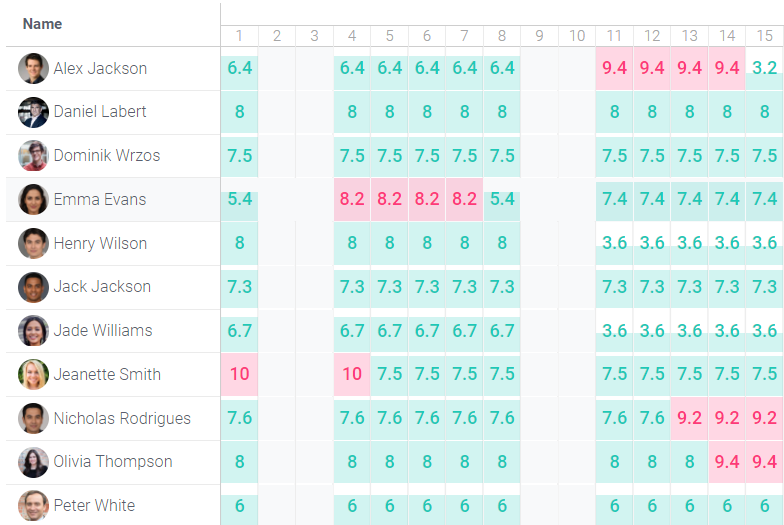
In the “Resources” tab, by accessing a user’s details, you can view all tasks assigned to that person.

In addition to projects with declared workload, which were previously visible, specific tasks are now also displayed. This allows for a more accurate assessment of each employee’s actual workload.

Viewing other users’ work hours
efficiency

Improve the efficiency of tasks that involve repetitive processes

Project templates enable you to set the estimated time required for an employee to finish a particular task.

By monitoring the time taken to complete a job using a template, you can enhance engagement and improve resource allocation efficiency within your organization.

Create a model schedule for a repeatable process
global management

Efficiently manage your organization's project resources on a global level

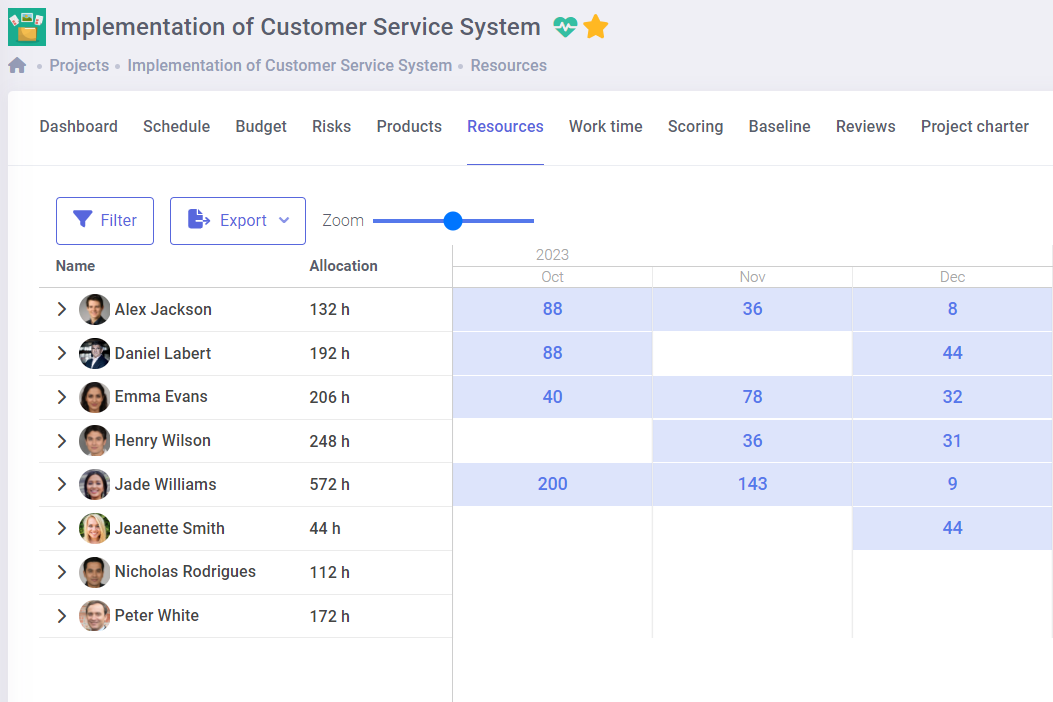
When planning your company’s upcoming projects, it’s essential to clearly understand the resources available to you. With a comprehensive view of all project resources, you can gauge how much each employee is already working and determine when new projects can be comfortably started.

FlexiProject can provide you with the information you need to plan your projects effectively and avoid overloading your team.

Globally manage your company's project resources
Organizational structure

Build your company hierarchy in the system

The organizational structure is based on manager–subordinate relationships in the form of a tree. You can define departments and teams, assign managers, and build multi-level hierarchies. Each user belongs to only one department.

Organizations using Microsoft Active Directory / Entra ID can automatically import the structure from existing user relationships. The structure directly controls access to work time and resources – managers see only their own department’s data.

Build your company hierarchy in the system
Configurable Workloads

Full control over team availability

This feature enables configurable counting of resource allocations and workloads. Administrators can define which project stages should be included in workload calculations, allowing reporting to be tailored to organizational needs.

In the allocation view, new groupings “Workload” and “Excluded Workload” have been added, while Gantt chart tooltips and task details now reflect the updated calculation method. Additionally, yellow highlights indicate situations where total allocation exceeds availability, even if a resource appears not to be fully loaded.

Full control over team availability – configurable workload counting in FlexiProject
Active Directory

Manage users with Active Directory integration

FlexiProject automatically syncs the user list from Active Directory, simplifying access management. New employees immediately gain access to the system, while deactivated accounts are promptly removed.

Tasks can be assigned to all organizational members, improving project management. The integration ensures full control over access and alignment with the current organizational structure.

AD Integration
reports

Create any reports on human resources

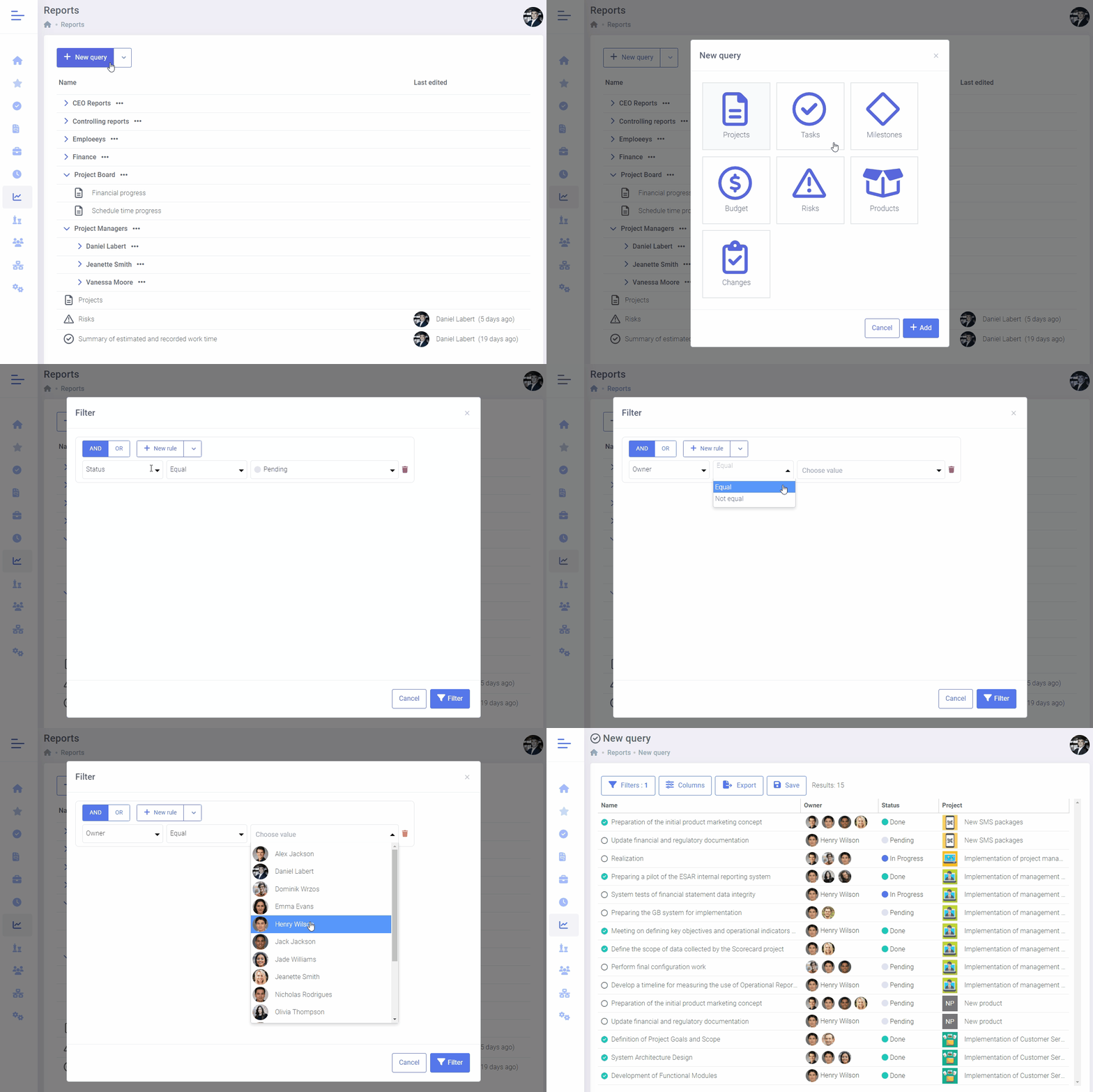
FlexiProject offers complete flexibility for generating resource reports.

You can create reports for individual employees, specific groups, or selected projects. You have complete control over the layout and content of each report.

Create any reports-work time registration

Contact us to learn more about FlexiProject details

If you want to explore the full capabilities that FlexiProject offers, feel free to talk to our specialists.