


Create an effective digital Project Management Office with best PMO software
With FlexiProject, the work of the Project Management Office becomes easier, faster, and more efficient. This PMO software streamlines processes, improves collaboration, and provides real-time insights.
Design and implement project and portfolio management standards
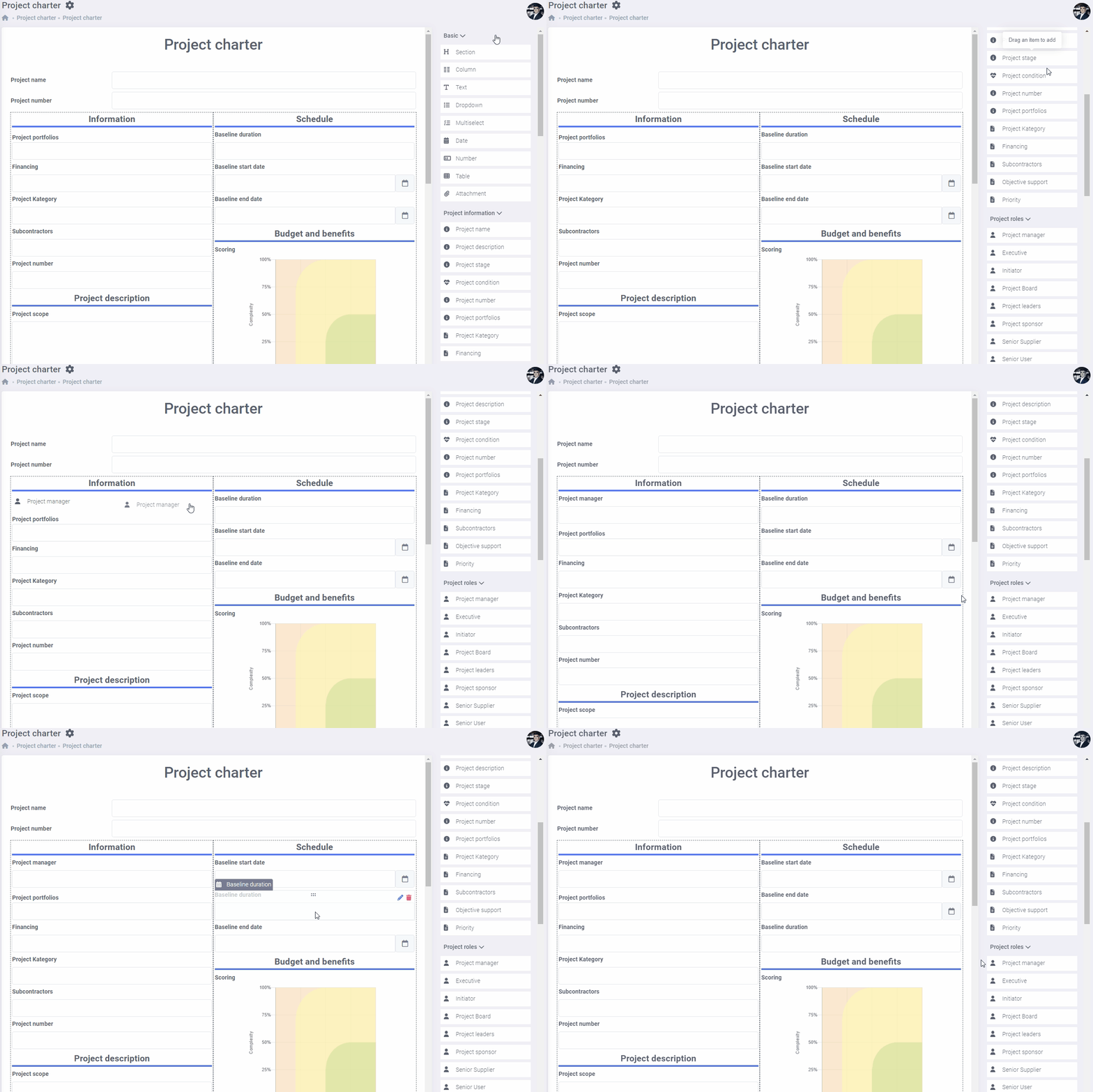
FlexiProject allows you to develop templates for a Project Charter, Project Closing Sheet, or recurring project status report.
You can also build templates for recurring projects and a knowledge base of best practices, instructions, or document templates. Introducing such standards is usually the task of the Project Management Office.
Organize cyclic, automated project reviews for management
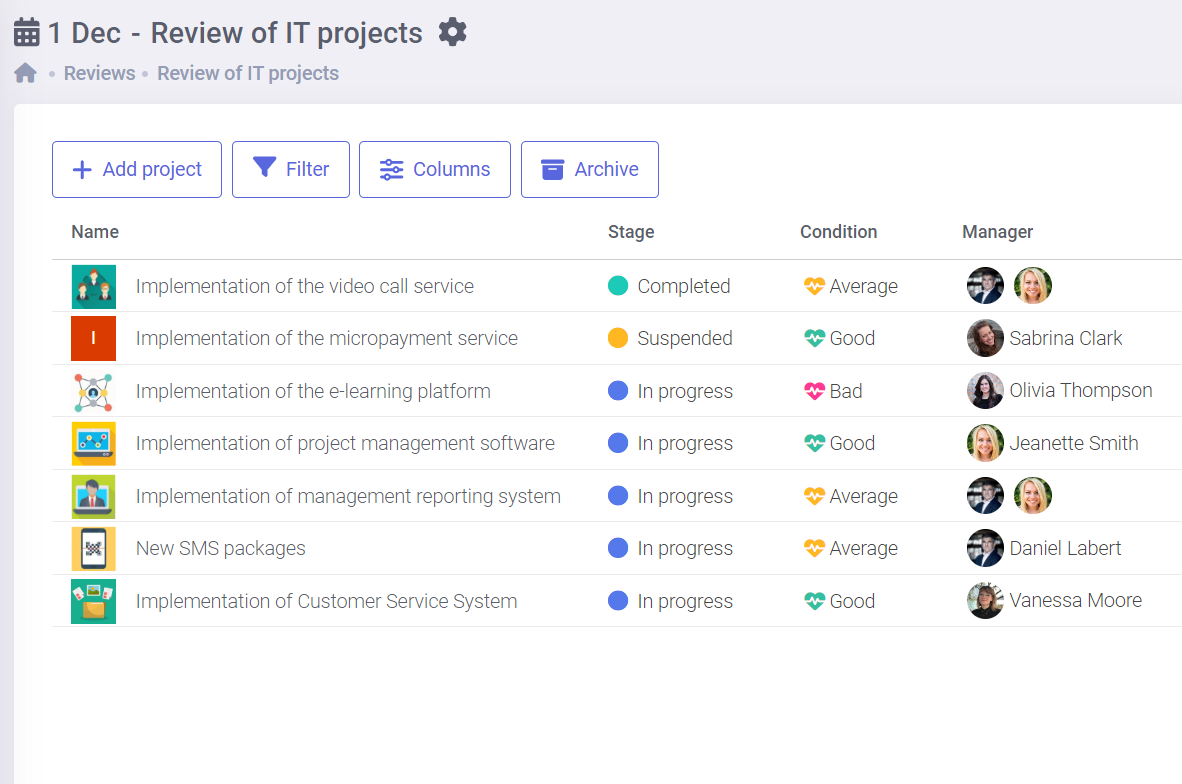
The role of the Project Management Office is to provide Management with information on project statuses.
The automated project reviews available in FlexiProject ensure this and, at the same time, make it easier. You can set a review date, and FlexiProject will control the entire review. You don’t have to ask managers for information or waste your valuable time manually creating presentations – it all happens automatically.
Respond instantly to any Board question-design your reports
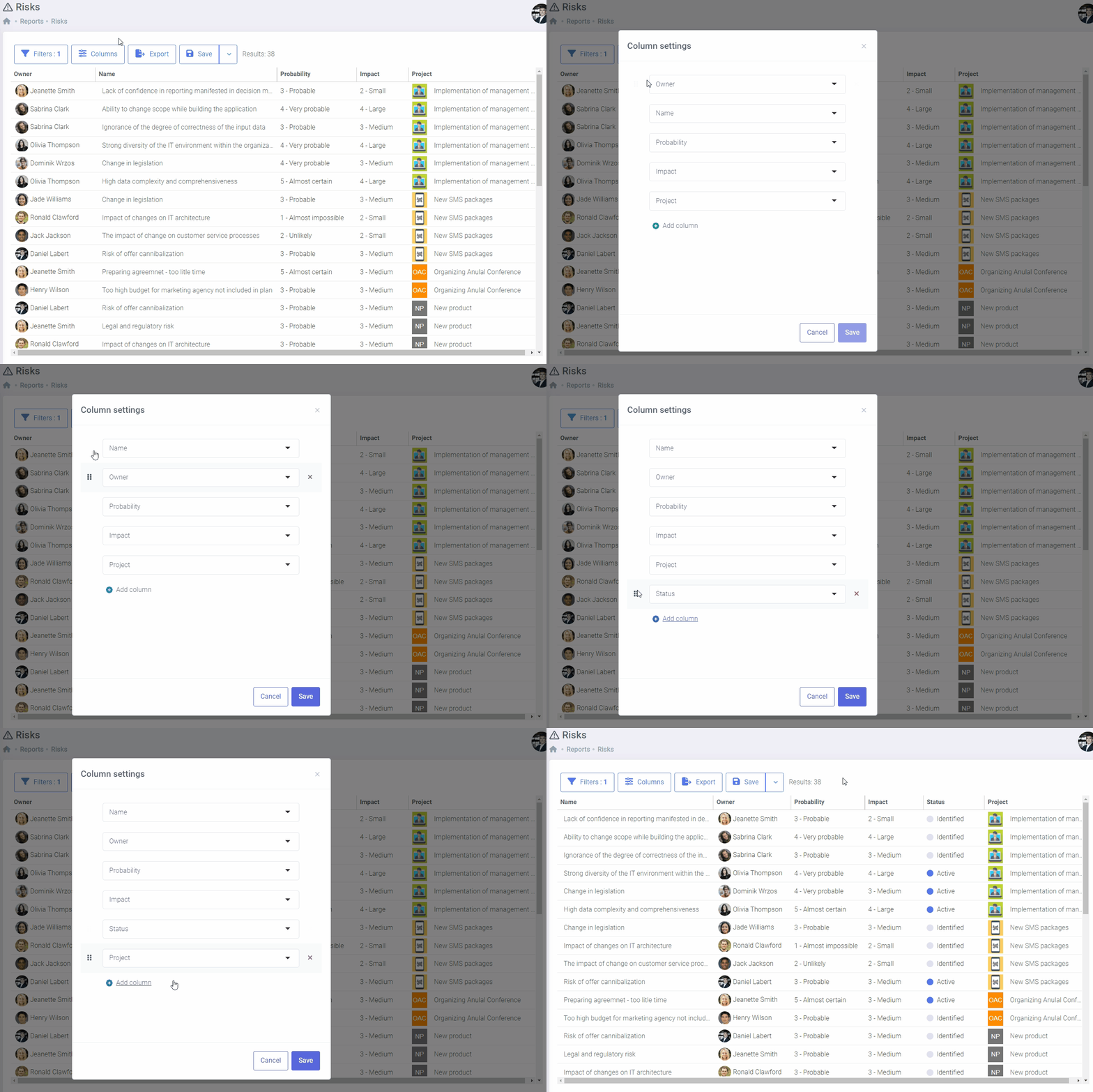
Indeed, you often have to create ad hoc reports that answer specific questions from the company’s management, which consumes a lot of time.
This situation will change if you choose FlexiProject. You can create any reports you want in the system and always have them at your disposal with up-to-date data. And if necessary, you can easily export them to Excel. What used to take long hours is now available instantly.
Experience the full power of FlexiProject with unrestricted access for 30 days - completely free. Start your trial today and see how FlexiProject can enhance your project management and team productivity!<br /><br /> <br /><br />
Focus on critical aspects of any project
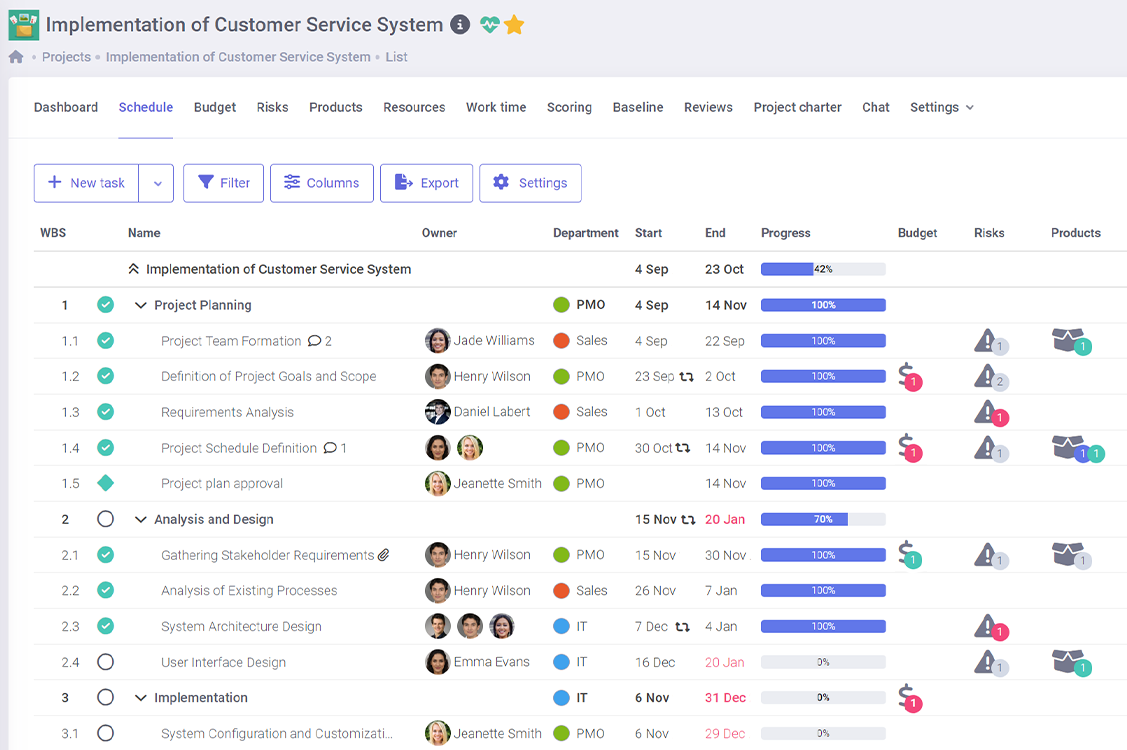
On project schedules, you will see a warning sign system directing your attention to tasks where something troubling is happening.
You will immediately see tasks with missed deadlines, budget deviations, or active risks. If multiple projects are going on simultaneously in your organization, FlexiProject will save you time, and you will always know what is happening.
A comprehensive tool for the Project Management Office
Successful strategy implementation requires companies to excel in project management. Although this is not the only condition it is important enough to make sure that projects achieve their goals. As a result, many organizations have decided to build a PMO to ensure that the organization’s project excellence reaches ever higher levels. Without a doubt, it can be assumed that the organization should provide the right PMO software. Effective PMO software must support project teams in planning and executing projects. Tools for the Project Management Office are also needed so that the PMO can implement project management standards in the organization. Modern PMOs are in the form of digital PMOs, which means that as many processes as possible are automated through dedicated PMO software. That’s why it’s most important for every PMO to choose an IT program that automates group work and project planning and execution. What modern PMOs expect from a good project and portfolio management IT program is flexibility, intuitiveness, ease of implementation, and availability of required functions. Certainly, the choice of such software should depend on the scale of the projects being implemented, their nature, and the project maturity of the company. The right PMO software is also a great benefit for the entire organization – after all, the entire organization is involved in the implementation of projects. The company should make maximum effort to ensure that the PMO software is the best possible, which will surely translate into the company’s strategic success in the long term.
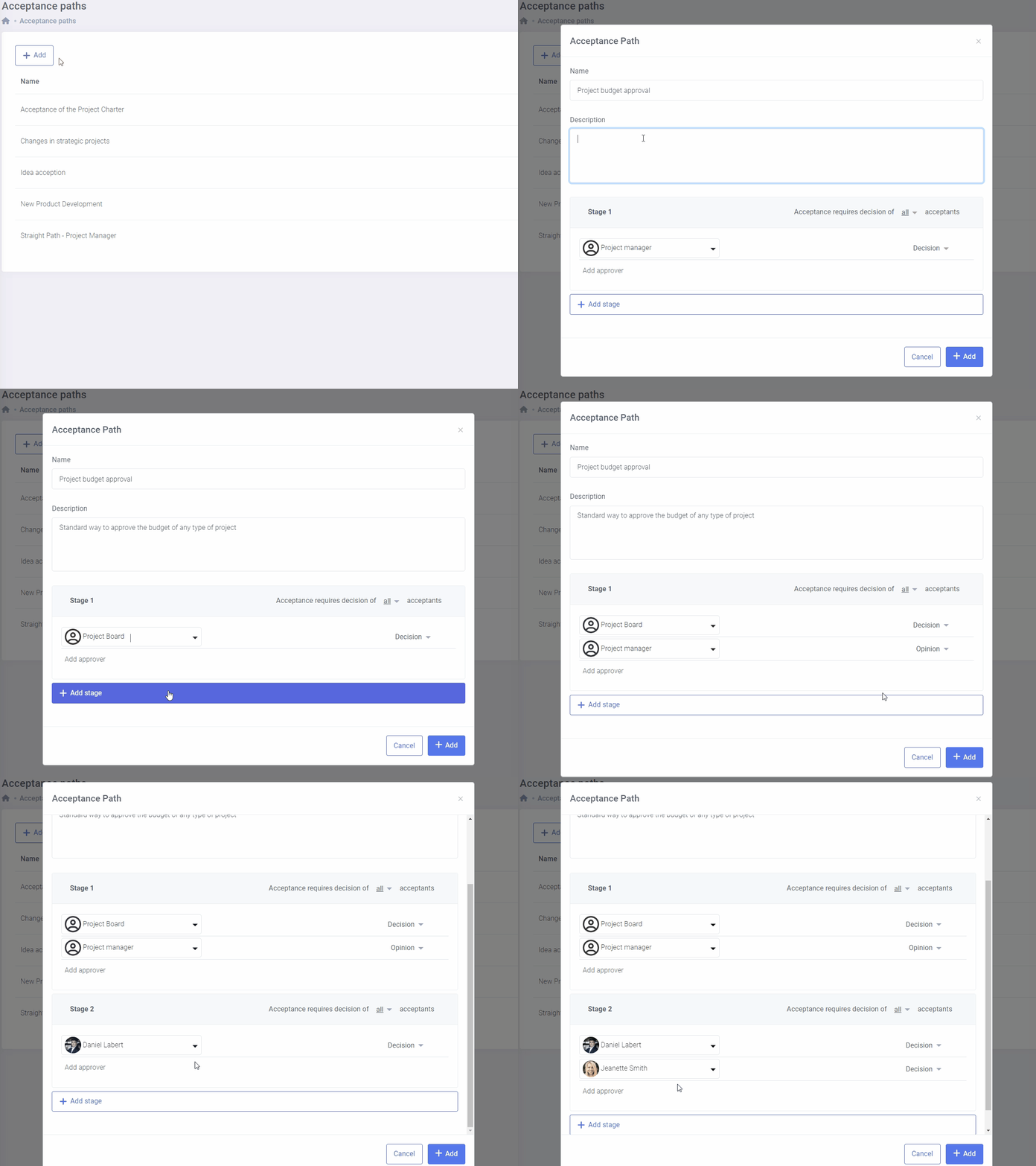
Design acceptance paths for making the required decisions
Map in FlexiProject the project management decision-making processes that exist in your company.
The program allows you to design different decision paths. The project card and the entire project plan may be accepted differently. What previously required sending emails will be fully automated.
Design scoring models for optimal project selection
FlexiProject is a tool that enables you to create a set of criteria that your organization can use to select which projects to implement.
This can be done through the Scoring function. This feature is particularly useful for companies that have a large number of project ideas but limited resources to implement them. Once the criteria have been established, the evaluation process can be fully automated.

Manage projects strategically
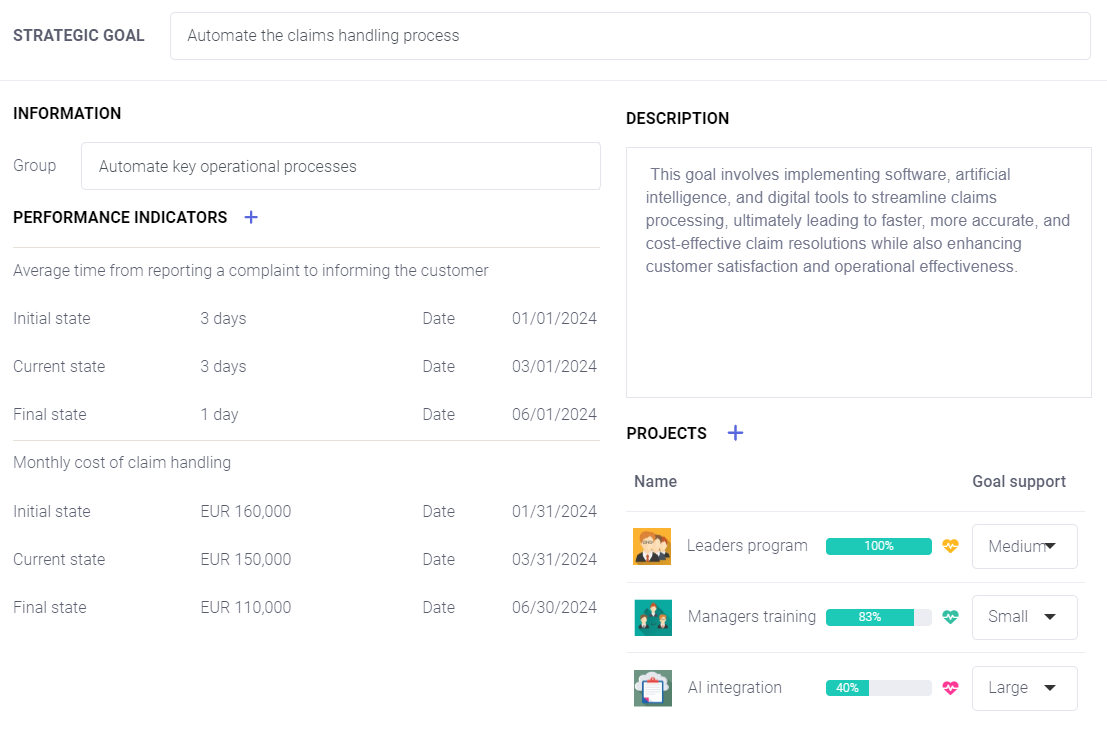
Any organization prioritizes effective strategy execution. FlexiProject lets you write down your company’s strategic goals and precisely link them to projects and KPIs.
You can create project portfolios to support the realization of significant strategic goals. The portfolios will provide roadmaps of the projects’ realization and insight into their financial situation. These are handy functionalities for company management.
Visual Insights for projects, portfolios, and reports
Graphic summary is available in three main areas of the system: project portfolios, project overviews, and project reports. It enables quick analysis of key indicators such as project statuses, budgets, delays, risks, tasks, milestones, and custom fields.
Users can freely add, remove, edit (change data scope and filters), and rearrange widgets. All changes are saved automatically, allowing the view to be easily customized to individual needs.

Manage strategic resources
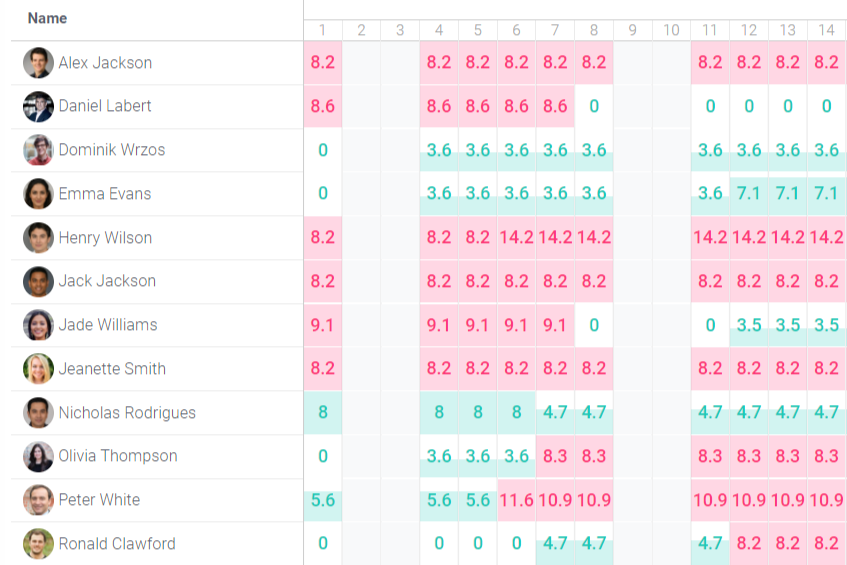
Effectively utilizing strategic resources is a crucial aspect of managing many organizations. FlexiProject offers several facilities in this regard.
For each resource, you can specify the availability to work on projects, the expected time to complete tasks, and also record the actual work time. Using FlexiProject, the Project Management Office can effectively coordinate the workload of resources.
Contact us to learn more about FlexiProject details
If you want to explore the full capabilities that FlexiProject offers, feel free to talk to our specialists.
