


Save the project plan, manage its changes and control variances
Develop a project charter, schedule, and budget. Validate these documents by obtaining a formal project plan to track variances and make informed decisions.
Develop and validate a baseline for each project
FlexiProject enables you to approve a baseline for your new project. You have the freedom to choose the project elements that you want to include in the plan.
This consists of the schedule, budget, project charter, or all of these elements combined. Once approved, the project plan allows you to observe variances and make efficient decisions easily.
Observe variances from the approved plan
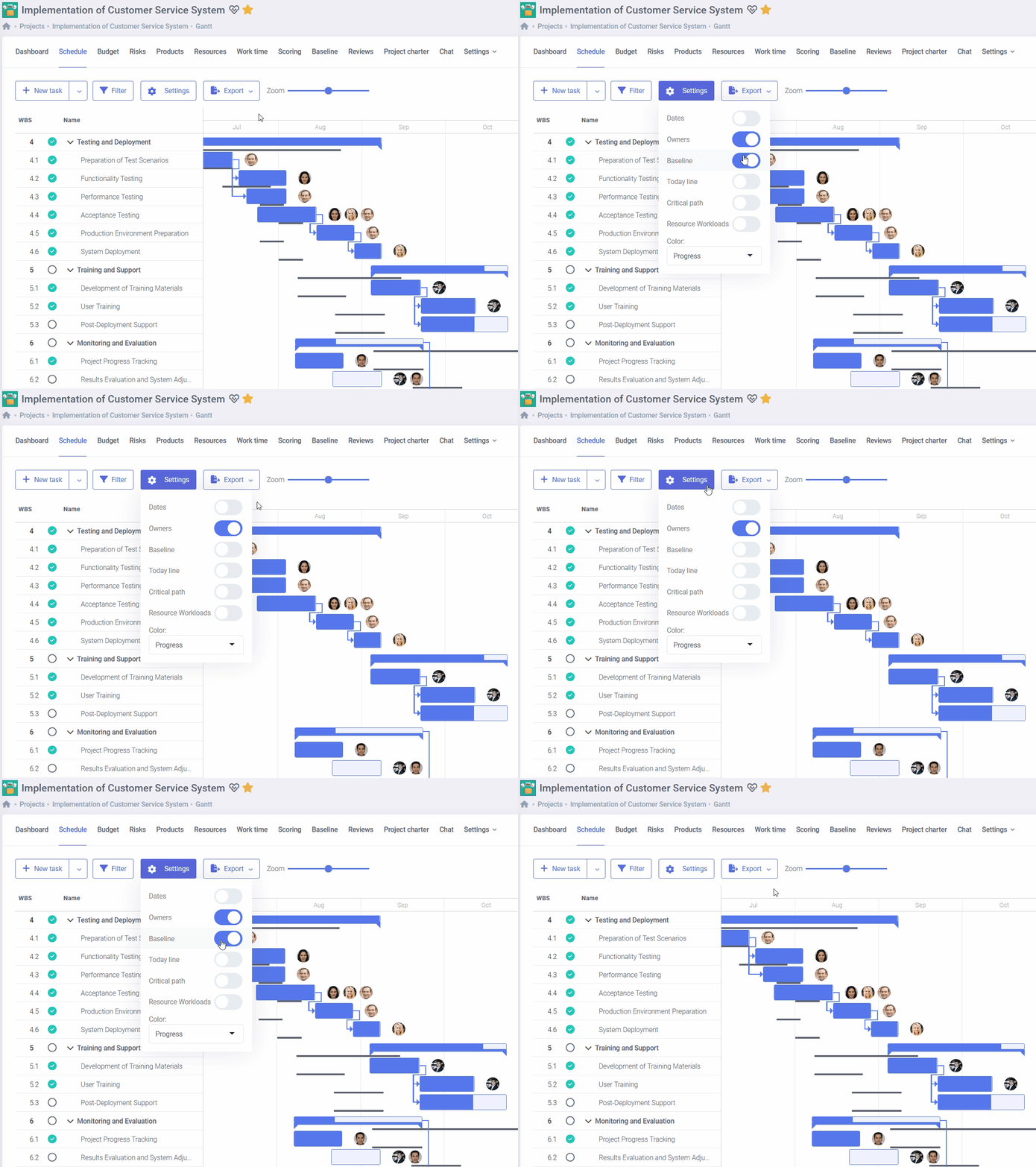
FlexiProject is a tool that helps you accurately manage the progress of your project. With the help of a Gantt chart, you can keep track of the planned schedule and the current status of task progress.
Additionally, FlexiProject allows you to keep a precise record of any variances from the project budget and the cost of each budget item.
Respond to changes and manage the project plan
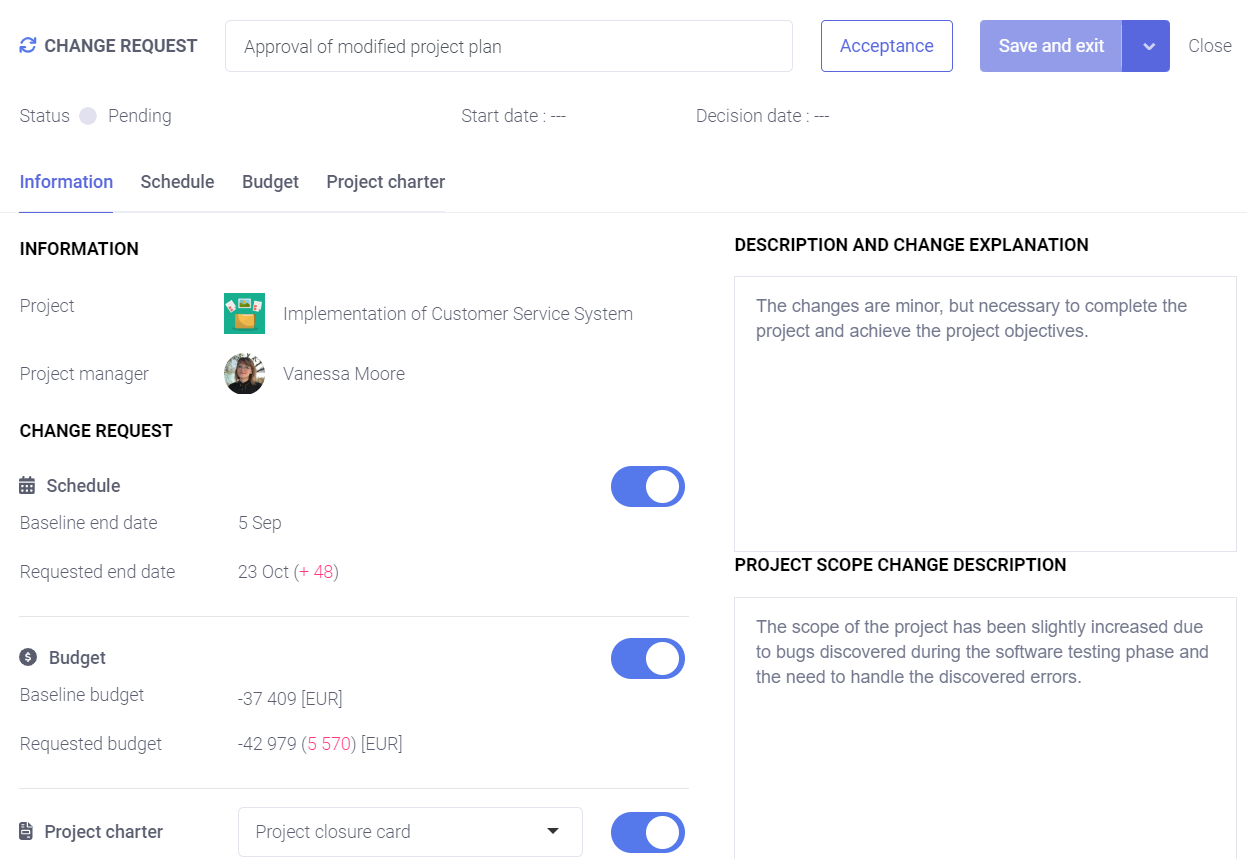
Changes are practically inevitable in a project plan that was once approved.
That’s why FlexiProject allows you to easily report modifications related to the project’s schedule, budget, or scope. The system displays changes as compared to the last approved project plan.
Your original project plan at a glance
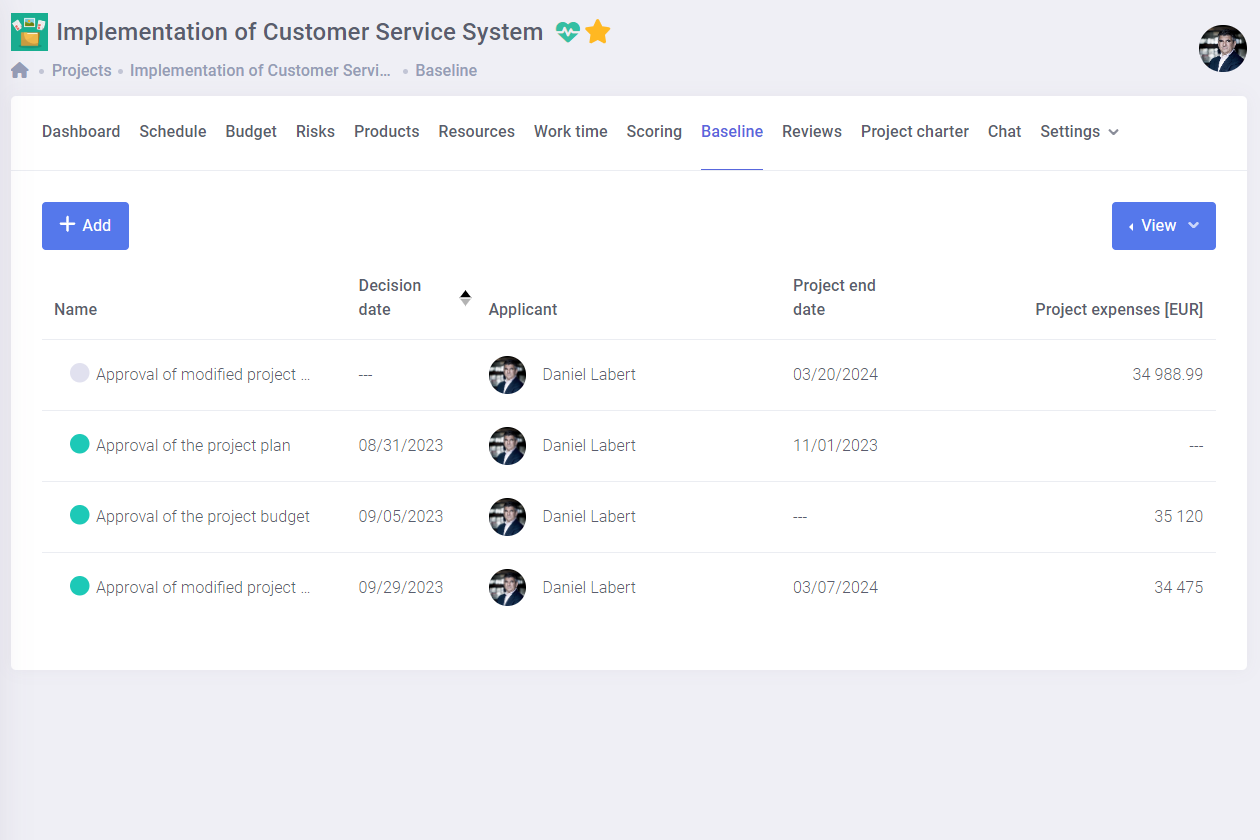
The first baseline plan shows the original schedule and budget assumptions of a project, regardless of later changes. It allows comparison of the current status with the initial plan, helping to assess progress, identify deviations, and improve resource and cost planning.
In portfolios, reports, and project reviews, it provides a clearer view and better control over project execution.

Unlock all FlexiProject features with 30 days of full access – completely free!
Decide what approval path to use to approve changes
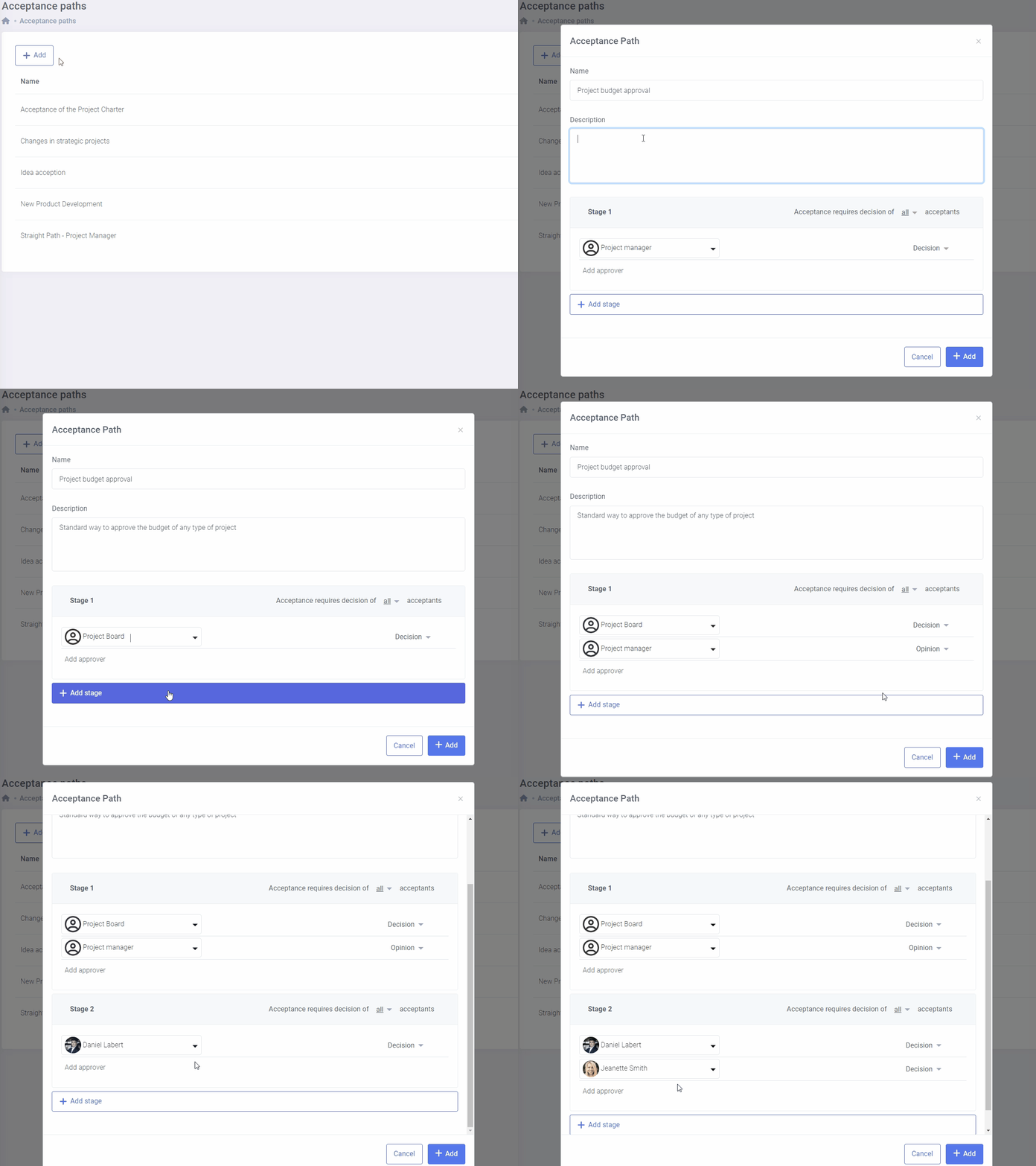
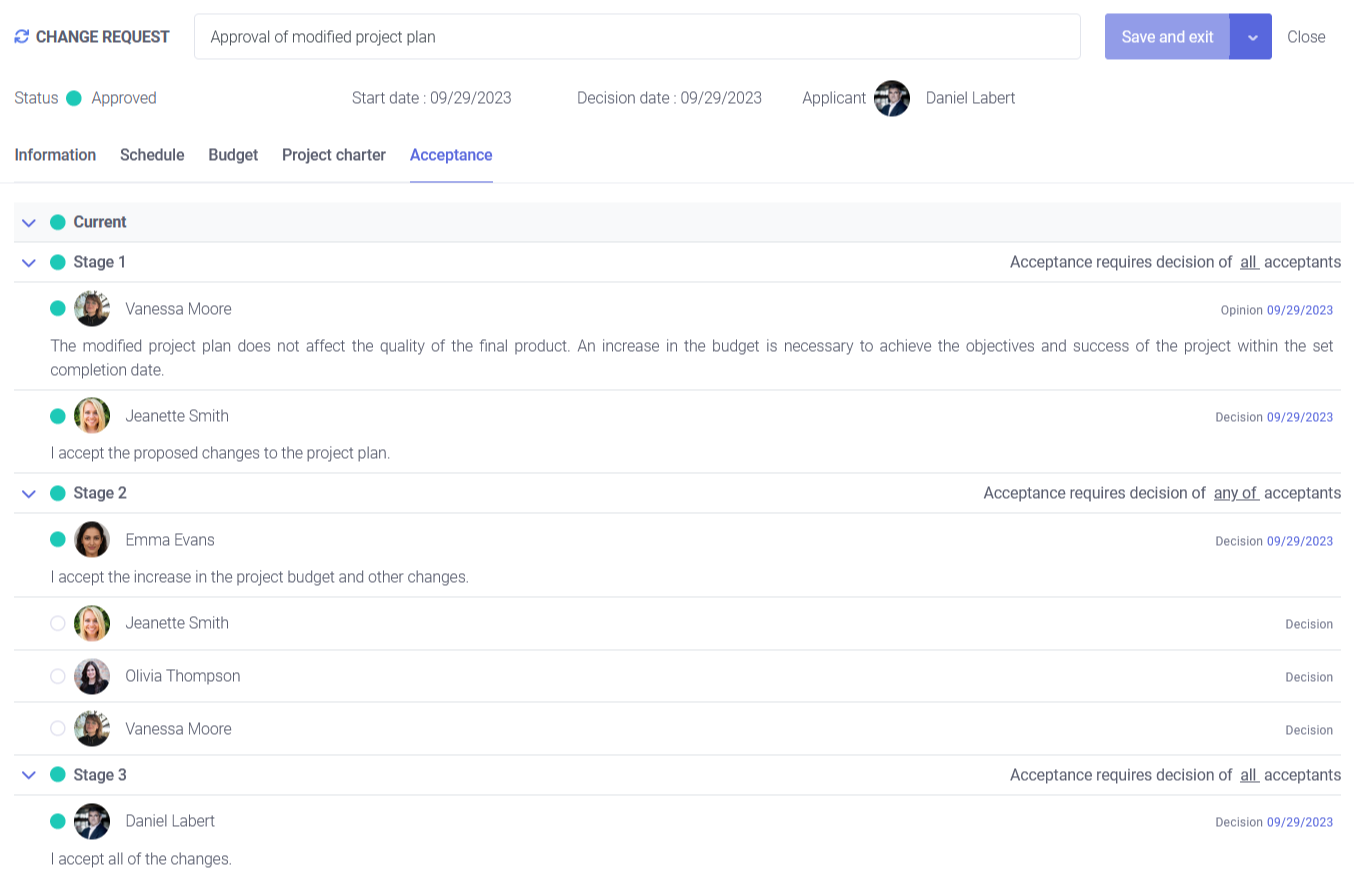
To ensure proper handling of changes to the project, you can design an approval path and assign decision makers and reviewers to each acceptance stage.
Depending on the change type, you can determine which path the new project plan should follow for approval. All acceptances will be documented and archived, allowing you to access them at any time.
Keep the entire history of changes with the reasons for the decision
FlexiProject enables you to archive every change request made in the plan comprehensively. This feature empowers you to revisit the past and track the exact details of who made specific decisions and for what reasons.
Additionally, the system stores comments alongside the changes, making it easier to understand the context of each plan modification.
Contact us to learn more about FlexiProject details
If you want to explore the full capabilities that FlexiProject offers, feel free to talk to our specialists.
