


Use a convenient Kanban board to visualize project execution
FlexiProject provides convenient and highly configurable Kanban board to plan and implement projects visually.
Add project tasks using the Kanban Boards
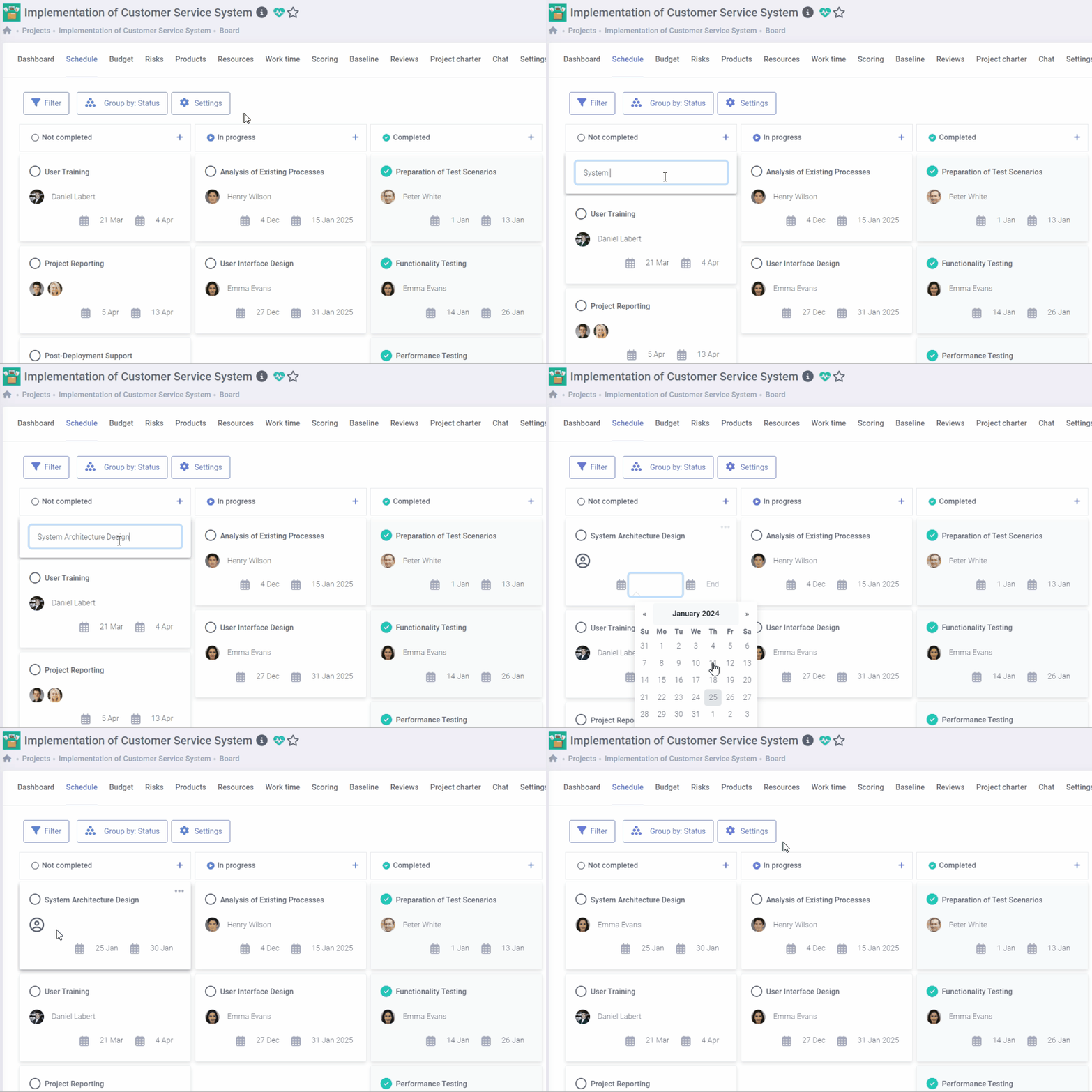
Show tasks on the Kanban board in different views
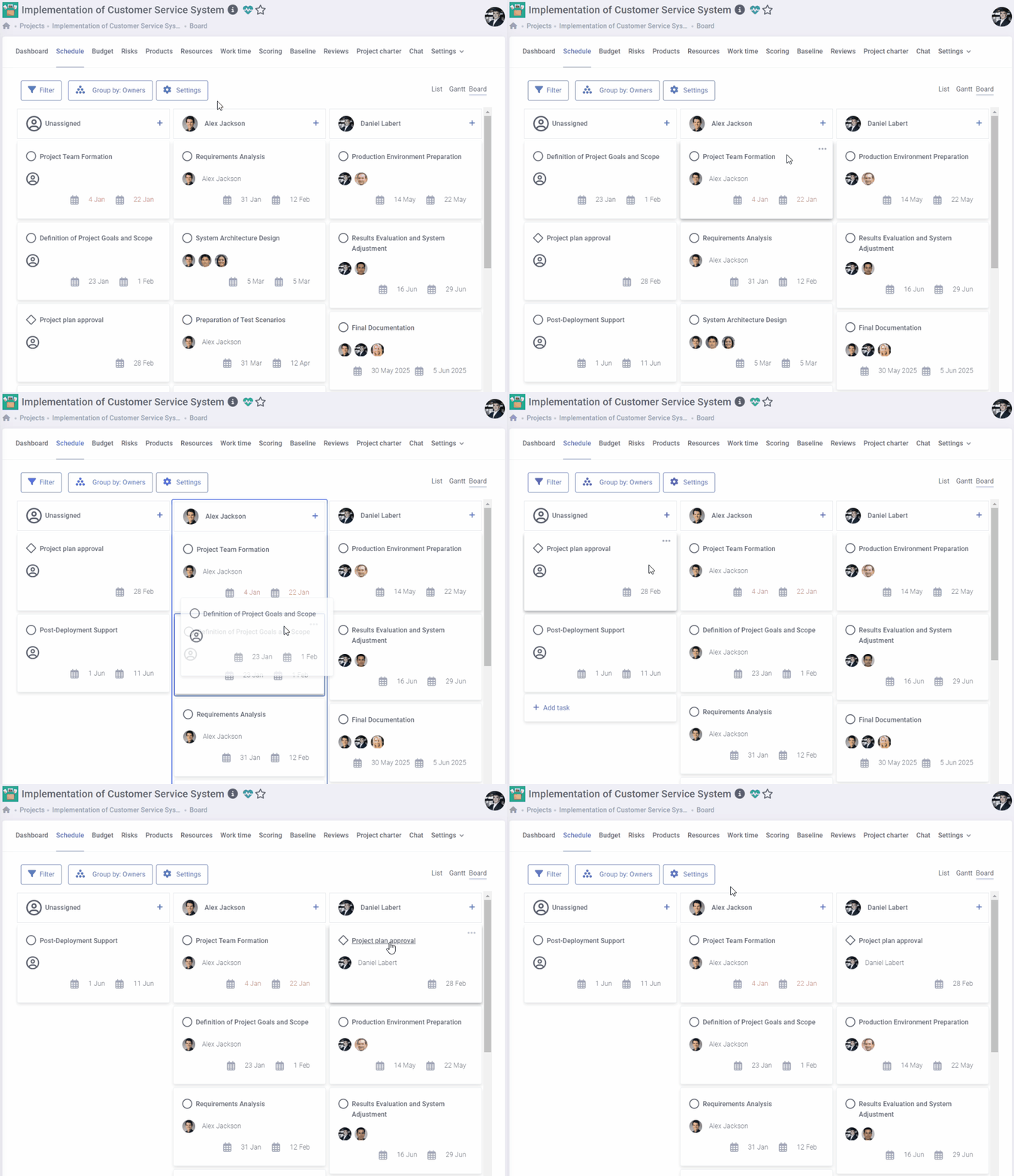
FlexiProject offers various options for grouping tasks on the Kanban board to suit your preferences.
You can choose from standard categories such as completion status, responsibility, or required completion date. Additionally, you can customize the board by grouping tasks according to additional criteria, such as priority or organizational unit.

Manage project execution directly on the Kanban board
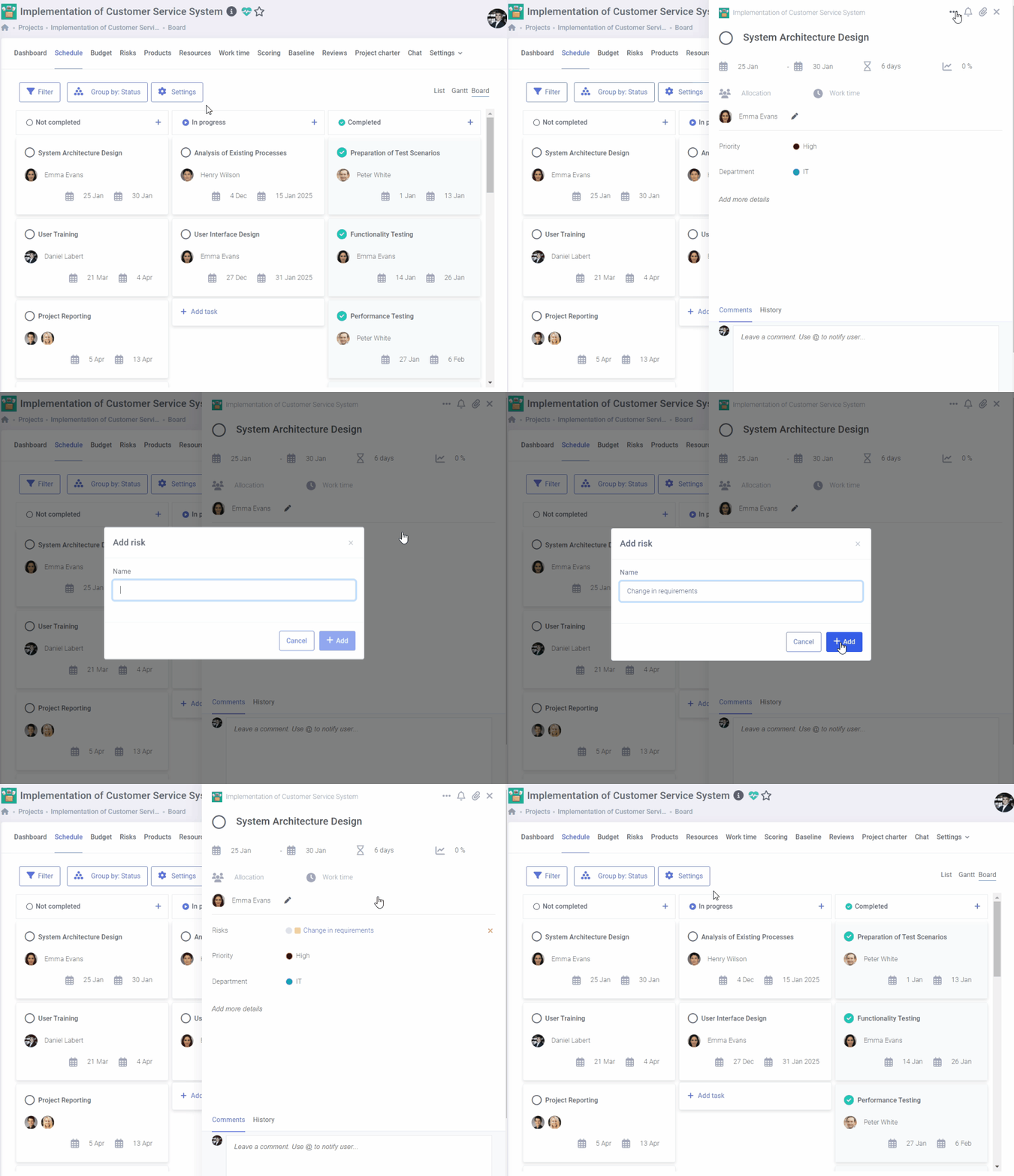
Add risks, products, and costs directly from the Kanban board
If you encounter a potential risk while planning or executing a task, you can immediately add it to the risk register from the Kanban board.
Additionally, you can also include any costs and products associated with the task. All the items added will be accessible elsewhere in the system. This is a very effective way to work on the project.
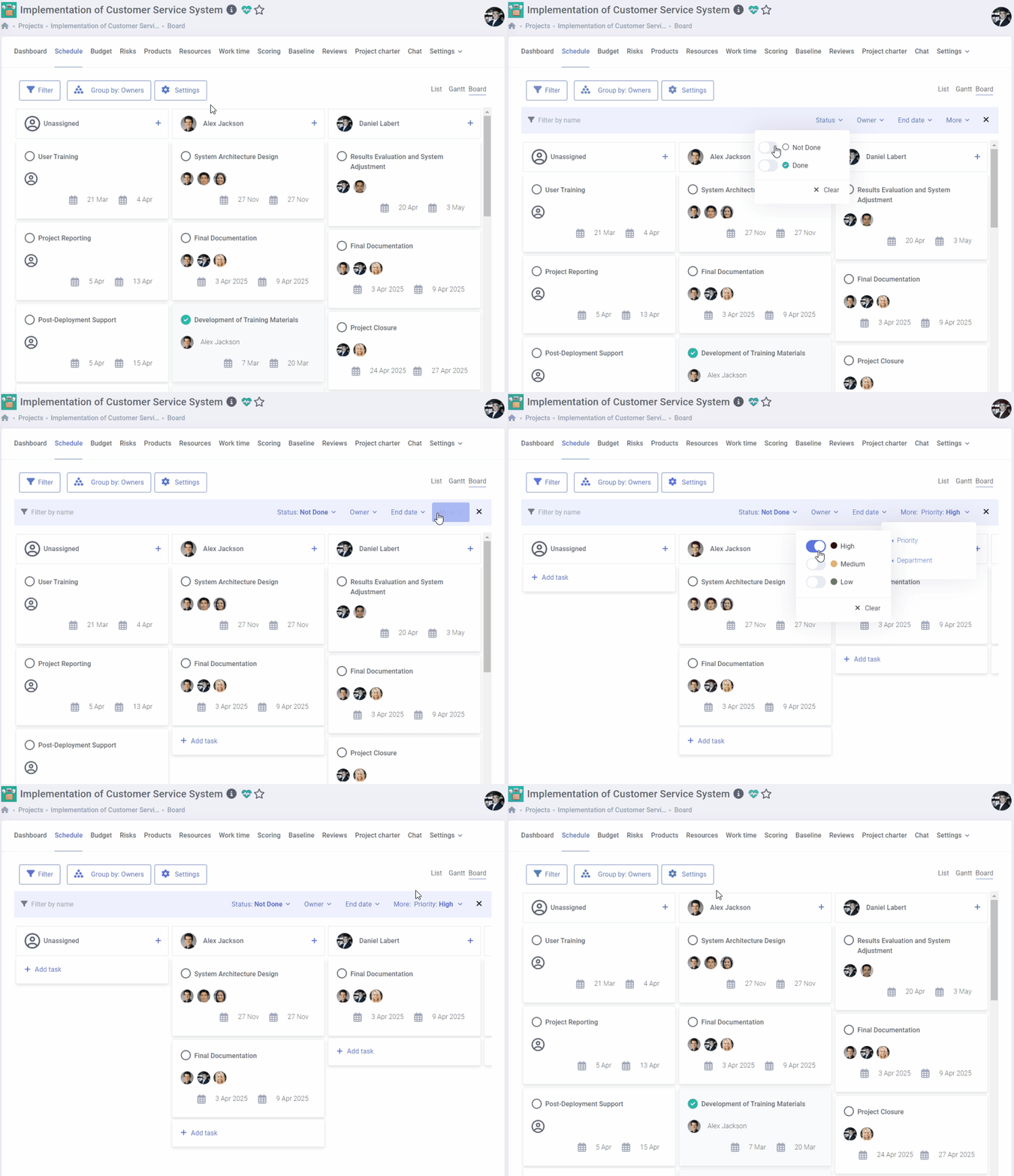
Display only the information you need
The filtering function is a helpful tool that allows you to search and display specific information quickly as you need it.
This feature is particularly useful for extensive projects with multiple tasks. With the filtering function, you can easily display the tasks assigned to a particular person, from a specific period, or with the highest priority without any hassle.
Contact us to learn more about FlexiProject details
If you want to explore the full capabilities that FlexiProject offers, feel free to talk to our specialists.
