To ensure the success of your project, it is crucial to manage its budget effectively
Keep track of your project’s finances by recording expenses and revenues and generating forecasts to monitor the variance from the plan.
Build a budget structure tailored to your needs
FlexiProject is a tool that enables you to create a budget structure based on different categories of costs and revenues. You can plan individual items within each category to get a more accurate picture of your overall budget.
For projects that involve both revenues and costs, FlexiProject will show you the projected profit. You can save the budget you create as a plan for future reference.
Ensure that every cost or revenue item is accurately defined with precision
To ensure that your accounting department has all the necessary information, supplement each cost and revenue item with relevant details. This can include cost centers and types of expenses.
Consider attaching critical documents such as purchase orders, analyses, and invoices throughout the project. Doing so will allow you to track progress and document budget implementation accurately.
Customize your budget items with flexible attributes
FlexiProject allows you to define custom attributes for budget items — in multiple formats including text, date, numeric, select lists, and formula fields for automatic calculations on dates or numbers.
Budget attributes are available in project templates and budgets. You can filter budget reports by attribute values and extract data across multiple projects using the consolidated report.
Control the variance from the plan
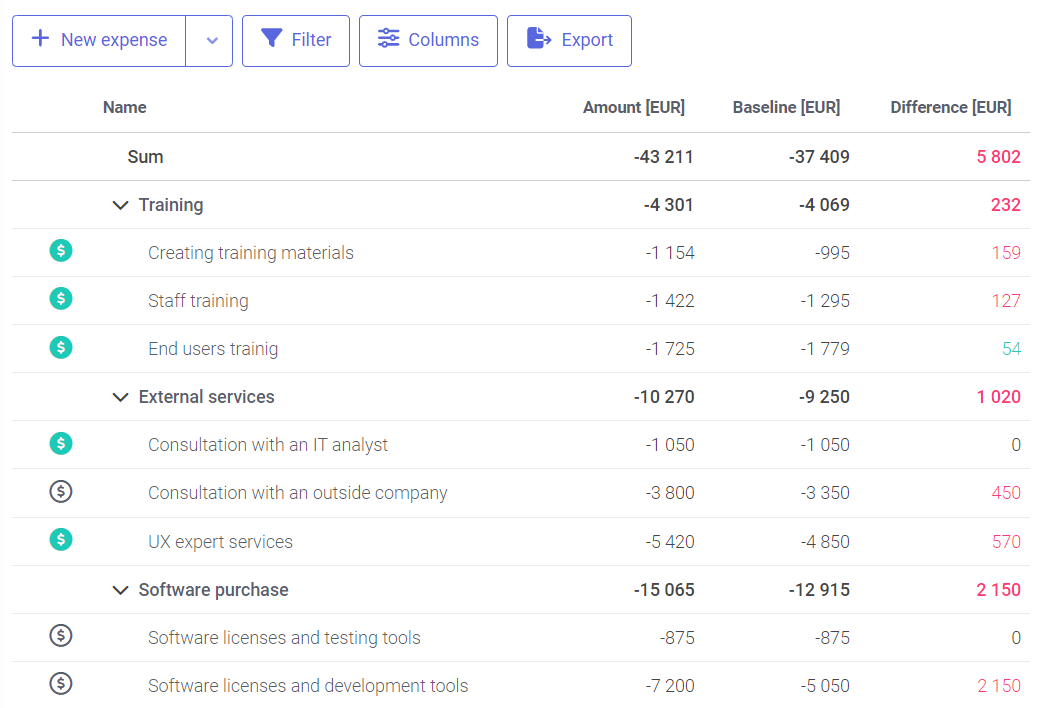
FlexiProject is a tool that enables you to keep track of your expenses and predict the remaining costs until the end of the project. This way, you can accurately determine if you will meet the budget plan and how much the total cost of the project will be.
By having this information early, you can make informed decisions and take necessary actions to prevent going over budget.
Unlock all FlexiProject features with 30 days of full access — completely free!
Link budget items to schedule elements
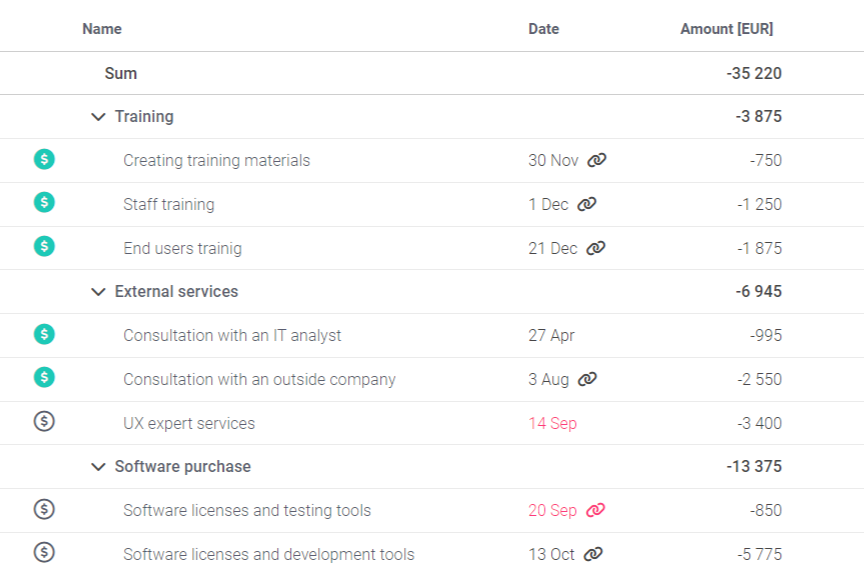
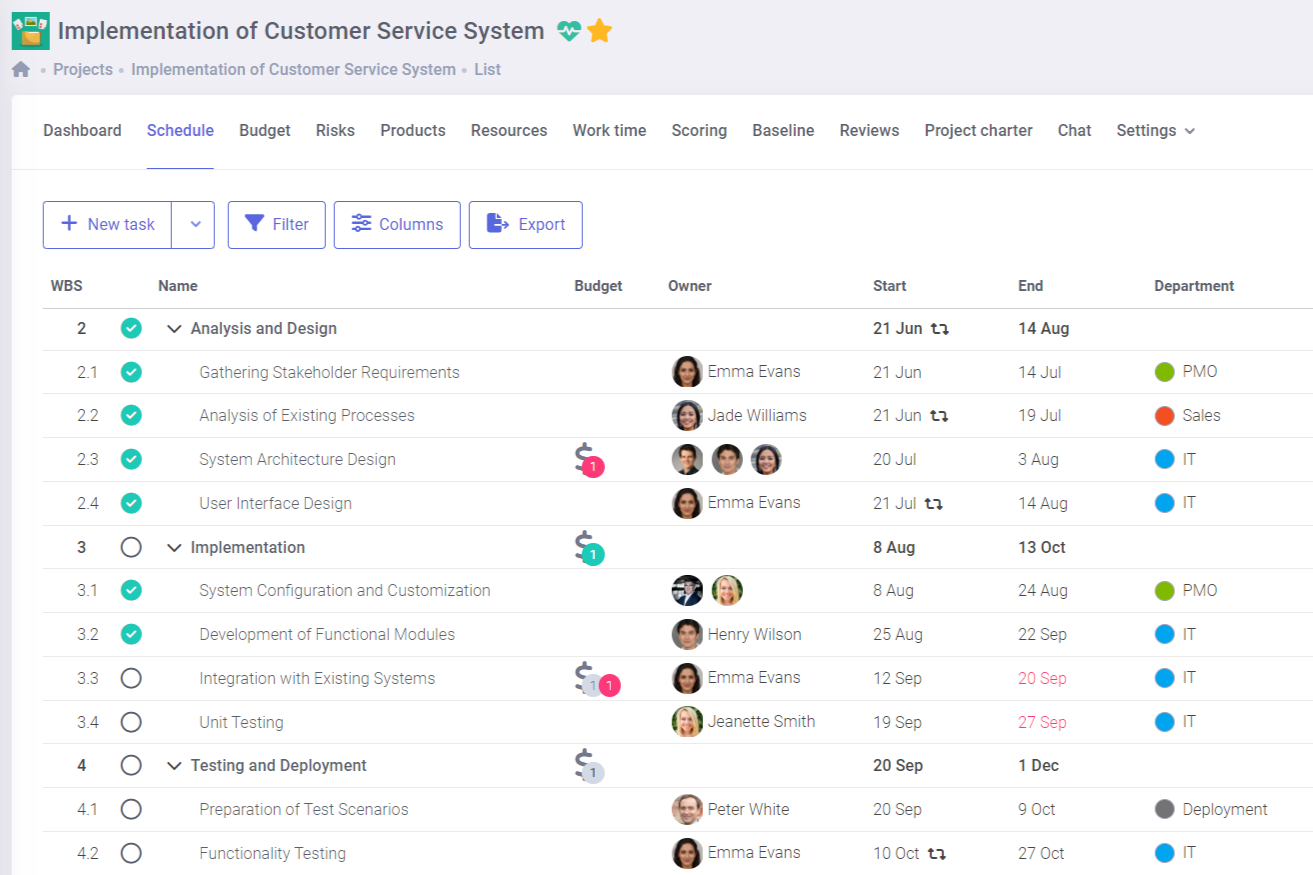
FlexiProject allows linking budget items with particular tasks on the schedule. In cases where the expense date is closely related to the task date, you can establish a connection between them.
This link ensures that any changes made in the task date on the schedule will automatically update the expense date.
Manage project cash flow over time
Companies aim to optimize their cash flows, which requires project managers to do the same for their projects.
FlexiProject provides the ability to define the timing of each budget item, allowing managers to easily track the distribution of costs and revenues on each project over time.
Build your budget from an existing Excel file
Import budget data directly from Excel to save time and avoid manual entry. Map your columns to FlexiProject fields, set the import scope, and transfer cost and revenue items in just a few clicks.
The imported data integrates seamlessly with the project budget structure, keeping your existing categories and baseline intact.
Create any financial reports
FlexiProject is a tool that enables you to generate customized financial reports per your preferences. You can easily create reports on discrepancies from the planned budget, expenses, and projected costs within a specific time fame, while considering the project categories or individual projects of your choice.
Once created, the report can be saved aalways be available with the latest data.

Contact us to learn more about FlexiProject details
If you want to explore the full capabilities that FlexiProject offers, feel free to talk to our specialists.